---
slug: "cursor-best-practices"
source_type: "readme"
source_url: "https://cdn.jsdelivr.net/gh/hktitan/cursor-best-practices@main/README.md"
repo: "https://github.com/hktitan/cursor-best-practices"
source_file: "README.md"
branch: "main"
---
# cursor-best-practices
> A structured repository for creating and maintaining Cursor Best Practices optimized for agents and LLMs.
[](LICENSE)
[](https://agentskills.io/specification)
[](https://skills.sh/)
[](https://cursor.com/docs/skills)
**[View on skills.sh](https://skills.sh/hktitan/cursor-best-practices/cursor-best-practices)** · **Install in 30 seconds:**
```bash
npx skills add https://github.com/hktitan/cursor-best-practices --skill cursor-best-practices
```
Short form: `npx skills add HKTITAN/cursor-best-practices`
[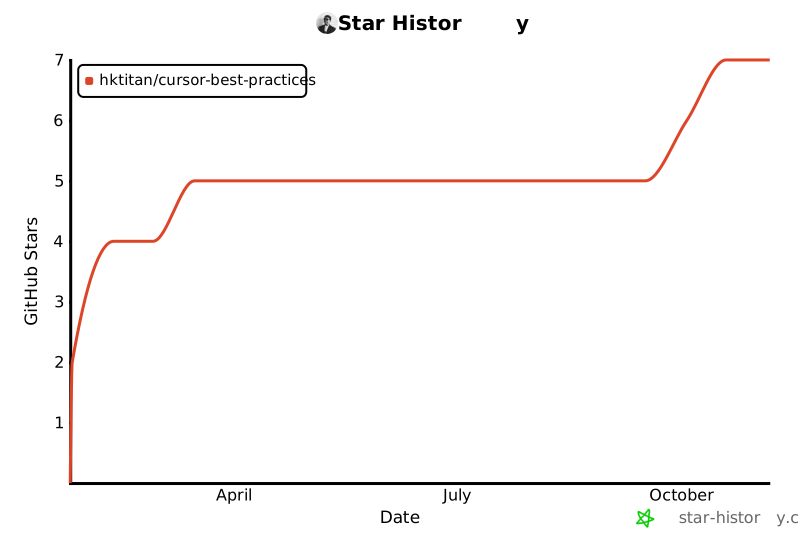](https://star-history.com/#HKTITAN/cursor-best-practices&Date)
## 📋 Table of Contents
- [Overview](#-overview)
- [Quick Start](#-quick-start)
- [Why Use This Skill?](#-why-use-this-skill)
- [Installation](#-installation)
- [What's Included](#-whats-included)
- [Key Features](#-key-features)
- [Usage Examples](#-usage-examples)
- [Standards & Compatibility](#-standards--compatibility)
- [Documentation](#-documentation)
- [Resources](#-resources)
- [Contributing](#-contributing)
- [FAQ](#-faq)
- [Support](#-support)
## 🎯 Overview
**cursor-best-practices** is a structured repository for creating and maintaining Cursor Best Practices optimized for agents and LLMs. It provides comprehensive best practices, patterns, and guidance for using Cursor effectively, whether you're setting up Cursor for the first time, creating rules and commands, or making your codebase Cursor-compatible.
### What Makes This Skill Special?
- **📚 References + templates** - **references/** (on-demand docs) and **assets/templates/** (curated rule, command, and subagent templates)
- **🎯 Context-Aware** - Automatically activates when you need Cursor guidance
- **⚡ Ready-to-Use** - 14 command templates and 15 subagent templates in **assets/templates/**
- **🔍 Well-Organized** - Skill layout follows [Agent Skills spec](https://cursor.com/docs/skills) (SKILL.md, references/, assets/)
- **🔄 Always Current** - Tracks official Cursor documentation
- **💡 Practical** - Real-world examples and patterns
- **🎓 Educational** - Learn best practices while you work
### Perfect For
- **New Cursor users** setting up their `.cursor` folder
- **Developers** writing rules, commands, or skills
- **Teams** establishing consistent Cursor workflows
- **Power users** maximizing productivity with advanced features
- **Project maintainers** onboarding new team members
## 🚀 Quick Start
### Installation
```bash
# Recommended: full URL with skill name
npx skills add https://github.com/hktitan/cursor-best-practices --skill cursor-best-practices
# Short form (current project)
npx skills add HKTITAN/cursor-best-practices
# Install globally for all projects
npx skills add HKTITAN/cursor-best-practices --global
```
### First Steps
Once installed, the skill activates automatically. Try these:
1. **Set up your `.cursor` folder:**
```
"Setup my .cursor folder"
```
2. **Make your codebase Cursor-compatible:**
```
"Make this codebase cursor compatible"
```
3. **Create your first rule:**
```
"How do I create a rule for TypeScript best practices?"
```
4. **Use a command:**
```
/code-review @src/components/Button.tsx
```
## ✨ Why Use This Skill?
| Benefit | Description |
|---------|-------------|
| **📚 Comprehensive** | **references/** (on-demand docs) and **assets/templates/** (curated rules, commands, subagents) plus Cursor docs |
| **🎯 Context-Aware** | Automatically activates when you need help with Cursor-related tasks |
| **⚡ Ready-to-Use** | 14 command templates and 15 subagent templates in **assets/templates/** you can copy-paste immediately |
| **🔍 Well-Organized** | Skill layout: SKILL.md, references/, assets/templates/ (rules, commands, agents) |
| **🔄 Always Current** | Tracks official Cursor documentation and reflects latest changes |
| **💡 Practical** | Real-world examples and patterns you can apply immediately |
| **🎓 Educational** | Learn best practices while you work, with detailed explanations |
| **🔒 Standards-Compliant** | Follows Agent Skills spec, works with skills.sh and Cursor |
## 📦 Installation
### Method 1: CLI Installation (Recommended)
The easiest way to install:
```bash
# Recommended: full URL with skill name
npx skills add https://github.com/hktitan/cursor-best-practices --skill cursor-best-practices
# Short form (current project)
npx skills add HKTITAN/cursor-best-practices
# Install globally for all projects
npx skills add HKTITAN/cursor-best-practices --global
```
**What happens:**
1. Downloads the skill from GitHub
2. Installs to `.cursor/skills/cursor-best-practices/` in your project
3. Makes it immediately available to Cursor's AI
### Method 2: Manual Installation
If you prefer manual installation:
1. **Clone the repository:**
```bash
git clone https://github.com/HKTITAN/cursor-best-practices.git
cd cursor-best-practices
```
2. **Copy the skill folder:** The skill folder contains **SKILL.md**, **references/**, and **assets/** (with **assets/templates/commands**, **assets/templates/agents**, **assets/templates/rules**).
```bash
# Copy the inner cursor-best-practices folder to your project
cp -r cursor-best-practices/cursor-best-practices /path/to/your/project/.cursor/skills/cursor-best-practices
```
3. **Verify installation:**
- Open Cursor
- Ask: "What skills are available?"
- The skill should appear in the list
### Installation Troubleshooting
Skill not loading?
**Common issues and solutions:**
- **Wrong folder structure**: Ensure folder is at `.cursor/skills/cursor-best-practices/` (not nested twice)
- **Missing SKILL.md**: Check that `SKILL.md` exists in the skill folder
- **Cursor not restarted**: Restart Cursor after installation
- **Folder structure mismatch**: Verify folder structure matches repository structure
**Verify structure:**
```
.cursor/skills/cursor-best-practices/
├── SKILL.md
├── references/
└── assets/
├── templates/
│ ├── commands/
│ ├── agents/
│ └── rules/
└── recommended-skills.md
```
Permission errors?
- Ensure write permissions to `.cursor` directory
- Create `.cursor/skills/` first if it doesn't exist
- Check file system permissions
- On Windows, ensure you have proper access rights
Skill not activating?
- Try being more specific in your questions
- Use keywords like "setup", "rule", "command", "cursor"
- Example: "How do I create a rule?" instead of "help"
- The skill activates based on keywords and context
## 📖 What's Included
### 📝 Rules (curated templates)
**10 curated rule templates** in **assets/templates/rules/** — copy into `.cursor/rules/` or use as examples. Topics: rule structure, setup (.cursor folder), modes/workflows, ignore (.cursorignore). See [assets/templates/rules/_sections.md](https://github.com/hktitan/cursor-best-practices/blob/HEAD/cursor-best-practices/assets/templates/rules/_sections.md) for the full list. For broader rule patterns, see [Cursor docs — Rules](https://cursor.com/docs/rules) and this skill's **references/**.
### 🎮 Commands (14 templates)
Ready-to-use command templates in **assets/templates/commands/** — copy to `.cursor/commands/` and use immediately:
| Command | Purpose | Example Usage |
|---------|---------|---------------|
| `/code-review` | Review code for correctness, security, quality, tests | `/code-review @src/components/Button.tsx` |
| `/pr` | Generate PR title, description, and review checklist | `/pr` |
| `/run-tests-and-fix` | Run tests, fix failures, re-run until green | `/run-tests-and-fix` |
| `/security-audit` | Security-focused review (injection, auth, secrets, deps) | `/security-audit @src/auth/` |
| `/setup-new-feature` | Propose plan with files, modules, and patterns | `/setup-new-feature "User auth with OAuth"` |
| `/fix-issue` | Fix bug or feature from issue # or description | `/fix-issue #123` |
| `/update-deps` | Update dependencies, run tests, report breaking changes | `/update-deps` |
| `/docs` | Generate or update documentation | `/docs @src/utils/helpers.ts` |
| `/make-cursor-compatible` | Make codebase Cursor-compatible (setup .cursor, rules, indexes) | `/make-cursor-compatible` |
| `/lint-and-fix` | Run linter, auto-fix issues, report remaining | `/lint-and-fix` |
| `/format` | Format code according to project standards | `/format @src/**/*.ts` |
| `/check-coverage` | Check test coverage, identify gaps | `/check-coverage` |
| `/analyze-deps` | Analyze dependencies, find unused/duplicates | `/analyze-deps` |
| `/generate-types` | Generate types from schemas/APIs | `/generate-types @openapi.yaml` |
**Command Features:**
- Clear step-by-step instructions
- Usage examples
- Output format specifications
- Checklist or structured format
### 🤖 Subagents (15 templates)
Ready-to-use subagent templates in **assets/templates/agents/** — copy to `.cursor/agents/` and invoke with `@subagent-name`:
**Read-only subagents** (review/analysis):
| Subagent | Purpose |
|----------|---------|
| **`verifier.md`** | Runs tests and lint, reports pass/fail |
| **`reviewer.md`** | Code review for correctness, security, quality, tests |
| **`security-auditor.md`** | Security-focused review (injection, auth, secrets, deps) |
| **`linter.md`** | Linting and code style review |
| **`architect.md`** | Architectural pattern and design review |
**Editable subagents** (can modify code):
| Subagent | Purpose |
|----------|---------|
| **`documenter.md`** | Generate/update documentation (API docs, README, inline comments) |
| **`tester.md`** | Write and update tests for code changes |
| **`refactorer.md`** | Refactor code while maintaining functionality |
| **`debugger.md`** | Investigate and identify bugs in code |
| **`performance-analyzer.md`** | Analyze code for performance issues and bottlenecks |
| **`accessibility-checker.md`** | Review code for accessibility (a11y) compliance |
| **`migrator.md`** | Handle code migrations (framework upgrades, API changes) |
| **`dependency-manager.md`** | Review and manage dependencies (updates, security, compatibility) |
| **`formatter.md`** | Format code according to project standards |
| **`type-generator.md`** | Generate types from schemas, APIs, or data structures |
**Use cases:**
- **Read-only subagents** — Parallel review/validation while main agent implements
- **Editable subagents** — Specialized tasks with context isolation
- **Perfect for** — Pre-commit checks, CI/CD, quality gates, parallel workflows
### 📚 References (deep-dive guides)
**references/** — 5 deep-dive guides; **references/templates-index.md** lists all templates. Guides:
1. **`rules-and-commands.md`** — Complete guide to rules and commands
- Rule types and when to use each
- Frontmatter structure and best practices
- Using globs for file-specific rules
- Command structure and parameters
- Examples and patterns
2. **`agent-and-security.md`** — Agent tools, workflows, and security
- Available tools and when to use them
- Security defaults and settings
- .cursorignore checklist
- Terminal and MCP security
- Network access controls
3. **`workflows-and-codebases.md`** — TDD, git commands, large codebases
- TDD workflow step-by-step
- Git-style command patterns
- Codebase understanding strategies
- Hooks and automation
- Large repository tips
4. **`modes-context-tools.md`** — Agent modes, semantic search, @mentions
- Modes comparison table
- Plan mode detailed workflow
- Semantic search best practices
- @Mentions types and usage
- Tab features and shortcuts
5. **`quick-reference.md`** — Quick reference guide
- Keyboard shortcuts
- Mode selection guide
- Commands and subagents quick reference
- Common workflows
- @Mentions guide
### 🎓 Skills recommendations
- **assets/recommended-skills.md** — Curated list from [skills.sh](https://skills.sh/)
- Organized by category (Cursor & workflows, Frontend & React, Mobile & Expo, Backend & data, Creating skills, Docs & testing)
- Each includes: name, description, when to use, installation command
- Links to skills.sh for more details
## 🎯 Key Features
### 1. Make Your Codebase Cursor-Compatible
Transform any codebase into a Cursor-optimized workspace with a single command:
```
"Make this codebase cursor compatible"
```
**What it does:**
- ✅ Creates `.cursor/` folder structure (rules, commands, agents, skills)
- ✅ Generates `.cursorignore` with best practices
- ✅ Creates `AGENTS.md` comprehensive codebase guide
- ✅ Adds project-specific rules (codebase-structure, architecture, content-patterns)
- ✅ Sets up useful commands (templates in this skill's **assets/templates/**)
- ✅ Documents architecture
**Result:** Your codebase becomes fully indexed and understandable by Cursor's AI at the deepest level.
### 2. Curated rules and references
Curated rule templates in **assets/templates/rules/** plus **references/** and [Cursor docs](https://cursor.com/docs/rules): rule structure, setup, modes/workflows, ignore.
### 3. Ready-to-Use Templates
Templates in **assets/templates/** — copy as needed:
- **Commands** (14 templates in **assets/templates/commands/**) — Code review, PR, tests, security, docs, linting, formatting, coverage, dependency analysis, type generation
- **Subagents** (15 templates in **assets/templates/agents/**) — Verifier, reviewer, security-auditor, linter, architect, documenter, tester, refactorer, debugger, performance-analyzer, accessibility-checker, migrator, dependency-manager, formatter, type-generator
- **Skills** — **assets/recommended-skills.md** (from skills.sh)
### 4. Best Practices Guide
Learn:
- How to write effective rules
- When to use commands vs skills vs subagents
- How to structure your `.cursor` folder
- Security best practices
- Performance optimization
- Making codebases Cursor-compatible
## 💬 Usage Examples
### Example 1: Initial Setup
```
User: "Setup my .cursor folder"
AI: [Creates folder structure, suggests .cursorignore, offers command templates]
```
**Result:** Complete `.cursor/` folder setup with optional templates.
### Example 2: Making Codebase Compatible
```
User: "Make this codebase cursor compatible"
AI: [Sets up full Cursor compatibility with indexing and documentation]
```
**Result:** Fully indexed codebase with AGENTS.md, rules, commands, indexes, and architecture docs.
### Example 3: Creating a Rule
```
User: "How do I create a rule for TypeScript best practices?"
AI: [Explains rule structure, frontmatter, globs, provides examples]
```
**Result:** Step-by-step guidance on creating effective rules.
### Example 4: Using Commands
```
User: "/code-review @src/components/Button.tsx"
AI: [Reviews code using the code-review command template]
```
**Result:** Comprehensive code review with categorized feedback.
### Example 5: Understanding Agent Modes
```
User: "When should I use Plan mode vs Agent mode?"
AI: [Explains differences, use cases, when to switch]
```
**Result:** Clear guidance on mode selection.
View more examples
**Creating file-specific rules:**
```
User: "Create a rule that only applies to test files"
AI: [Shows how to use globs for file-specific rules]
```
**Using semantic search:**
```
User: "How does semantic search work in Cursor?"
AI: [Explains semantic search, when to use it, best practices]
```
**Working with @mentions:**
```
User: "How do I use @mentions effectively?"
AI: [Explains different mention types and when to use each]
```
**Debug mode:**
```
User: "How do I use Debug mode for a runtime bug?"
AI: [Explains Debug mode workflow and best practices]
```
**Security:**
```
User: "What should I put in .cursorignore for security?"
AI: [Explains secrets, credentials, and security best practices]
```
## ✅ Standards & Compatibility
This skill follows three standards:
| Standard | Status | Description | Link |
|----------|--------|-------------|------|
| **Agent Skills Specification** | ✅ Supported | Official open standard for agent skills | [agentskills.io/specification](https://agentskills.io/specification) |
| **skills.sh** | ✅ Supported | Skill discovery and installation platform | [skills.sh/docs](https://skills.sh/docs) |
| **Cursor Skills** | ✅ Supported | Cursor's skill system | [cursor.com/docs/skills](https://cursor.com/docs/skills) |
**Standards Support:**
- Proper SKILL.md frontmatter (name, description, license, compatibility, metadata)
- Correct directory structure
- Standards-compliant format
- Installable via `npx skills add`
- Works with Cursor's skill discovery
- References all three standards in documentation
## 📚 Documentation
### Repository Documentation
- **[README.md](https://github.com/hktitan/cursor-best-practices/blob/HEAD/README.md)** — This file — comprehensive overview and guide
- **[CODEBASE.md](https://github.com/hktitan/cursor-best-practices/blob/HEAD/CODEBASE.md)** — High-level codebase overview
- **[cursor-best-practices/CHANGELOG.md](https://github.com/hktitan/cursor-best-practices/blob/HEAD/cursor-best-practices/CHANGELOG.md)** — Version history and notable changes
- **[CONTRIBUTING.md](https://github.com/hktitan/cursor-best-practices/blob/HEAD/CONTRIBUTING.md)** — Contribution guidelines
- **[LICENSE](https://github.com/hktitan/cursor-best-practices/tree/HEAD/LICENSE)** — MIT license
### Skill Documentation
- **[SKILL.md](https://github.com/hktitan/cursor-best-practices/blob/HEAD/cursor-best-practices/SKILL.md)** — Main skill file with overview
- **[assets/templates/rules/_sections.md](https://github.com/hktitan/cursor-best-practices/blob/HEAD/cursor-best-practices/assets/templates/rules/_sections.md)** — Curated rule templates index
- **[references/templates-index.md](https://github.com/hktitan/cursor-best-practices/blob/HEAD/cursor-best-practices/references/templates-index.md)** — Index of all templates (commands, agents, rules)
- **[references/template-skill.md](https://github.com/hktitan/cursor-best-practices/blob/HEAD/cursor-best-practices/references/template-skill.md)** — Minimal SKILL.md skeleton for new skills
### Deep Codebase Understanding
When you run "Make this codebase cursor compatible", the skill helps create (in your project):
- **AGENTS.md** — Comprehensive codebase guide
- Project-specific rules (architecture, content patterns)
- Commands and structure in `.cursor/`
## 🔗 Resources
### This skill
- **[cursor-best-practices on skills.sh](https://skills.sh/hktitan/cursor-best-practices/cursor-best-practices)** — Skill page, install command, and audits
### Official Documentation
- **[Cursor Documentation](https://cursor.com/docs/)** — Complete official documentation
- **[Agent Skills Specification](https://agentskills.io/specification)** — Official skill specification
- **[Cursor Blog](https://cursor.com/blog)** — Latest updates and announcements
### Community Resources
- **[cursor.directory](https://cursor.directory/)** — Community rules & MCPs
- **[skills.sh](https://skills.sh/)** — Skill recommendations & leaderboard
- **[Cursor Discord](https://discord.gg/cursor)** — Community support and discussions
### Related Projects
- **[Agent Skills](https://github.com/vercel-labs/agent-skills)** — Official agent skills repository
- **[React Best Practices](https://github.com/vercel-labs/agent-skills/tree/main/skills/react-best-practices)** — Example skill structure
## 🤝 Contributing
We welcome contributions! This skill tracks [Cursor docs](https://cursor.com/docs/) and keeps up to date with product changes.
### How to Contribute
**Found outdated or wrong info?**
1. Open an [issue](https://github.com/HKTITAN/cursor-best-practices/issues) or [pull request](https://github.com/HKTITAN/cursor-best-practices/pulls)
2. Include the Cursor docs link
3. Provide the suggested fix
4. Reference the specific file/section
**Want to add new content?**
1. Suggest via [issue](https://github.com/HKTITAN/cursor-best-practices/issues) first
2. Get feedback on approach
3. Submit PR with updates to `SKILL.md`, `references/`, or `assets/templates/`
4. Follow existing patterns and structure
**Rule templates:**
- Add or edit templates in **assets/templates/rules/**; see [references/templates-index.md](https://github.com/hktitan/cursor-best-practices/blob/HEAD/cursor-best-practices/references/templates-index.md)
- Update [assets/templates/rules/_sections.md](https://github.com/hktitan/cursor-best-practices/blob/HEAD/cursor-best-practices/assets/templates/rules/_sections.md) when adding rules
- Include frontmatter with description and tags; add "Related Queries" and "See Also" where relevant
See [CONTRIBUTING.md](https://github.com/hktitan/cursor-best-practices/blob/HEAD/CONTRIBUTING.md) for detailed guidelines.
## ❓ FAQ
Do I need to configure anything after installation?
**No!** The skill works automatically. Just install and start asking Cursor questions about best practices. The skill activates based on keywords and context in your questions.
Will this slow down Cursor?
**No.** Skills load on demand and only activate when relevant to your questions. The skill is optimized for performance and doesn't impact Cursor's speed.
Can I use this in multiple projects?
**Yes!** Install globally with `--global` flag for all projects, or install per-project. Each project can have its own installation. Global installation makes it available across all your projects.
How do I update the skill?
Run `npx skills add https://github.com/hktitan/cursor-best-practices --skill cursor-best-practices` again (or `npx skills add HKTITAN/cursor-best-practices`) to get the latest version. If installed manually, pull the latest from GitHub.
How many rules should I create for my project?
Start with a few essential rules. Add more as you identify patterns where the agent needs guidance. Quality over quantity — better to have a few well-written rules than many poorly written ones.
Can I modify the rules in this skill?
The skill's rules are for reference. Create your own rules in `.cursor/rules/` based on these patterns. Don't modify the skill's rules directly — they're templates and examples.
What's the difference between AGENTS.md and rules folder?
**AGENTS.md** is a simple alternative at project root (plain markdown, no frontmatter). **Rules folder** offers more organization, file-specific rules with globs, and better structure for larger projects. Use AGENTS.md for simple projects, rules folder for complex ones.
The skill isn't activating when I ask questions.
Try being more specific. For example:
- ✅ "How do I create a rule?"
- ✅ "Setup my .cursor folder"
- ✅ "When should I use Plan mode?"
- ❌ "help with rules" (too vague)
The skill activates based on keywords and context. Use Cursor-related terms in your questions.
How do I make my codebase Cursor-compatible?
Use the `/make-cursor-compatible` command or ask "Make this codebase cursor compatible". This will:
- Create `.cursor/` folder structure
- Generate `.cursorignore`
- Create `AGENTS.md` codebase guide
- Add project-specific rules
- Set up commands and indexes
- Document architecture
See the [make-codebase-cursor-compatible rule template](https://github.com/hktitan/cursor-best-practices/blob/HEAD/cursor-best-practices/assets/templates/rules/make-codebase-cursor-compatible.md) for details.
What file types does this skill support?
This skill provides guidance for working with any file type in Cursor. The rules and commands are language-agnostic, though some examples may use specific languages. The skill helps you set up Cursor for any project type.
## 💬 Support
### Getting Help
- **GitHub Issues**: [Open an issue](https://github.com/HKTITAN/cursor-best-practices/issues) for bugs or questions
- **Discussions**: Use [GitHub Discussions](https://github.com/HKTITAN/cursor-best-practices/discussions) for general questions
- **Cursor Discord**: Join the [Cursor Discord](https://discord.gg/cursor) community
### Reporting Issues
When reporting issues, please include:
- Cursor version
- Skill version
- Steps to reproduce
- Expected vs actual behavior
- Relevant error messages
### Feature Requests
We welcome feature requests! Open an [issue](https://github.com/HKTITAN/cursor-best-practices/issues) with:
- Use case description
- Proposed solution
- Benefits
## 📝 Changelog
See [cursor-best-practices/CHANGELOG.md](https://github.com/hktitan/cursor-best-practices/blob/HEAD/cursor-best-practices/CHANGELOG.md) for complete version history.
**Recent highlights:**
- **v1.2.0** — Repo restructure: **references/** and **assets/templates/** (curated rules, commands, agents); templates-index; link updates
- **v1.1.0** — Docs alignment with Cursor docs; SKILL.md and references updates; security guidance
- **v1.0.0** — Initial release with references, command and subagent templates, curated rules
## 👤 Author
**HKTITAN** ([GitHub](https://github.com/HKTITAN))
Maintainer of cursor-best-practices skill. Contributions welcome!
## 📄 License
MIT — see [LICENSE](https://github.com/hktitan/cursor-best-practices/tree/HEAD/LICENSE) for details.
**You are free to:**
- ✅ Use in any project (commercial or personal)
- ✅ Modify and adapt for your needs
- ✅ Share with your team
- ✅ Contribute improvements
- ✅ Fork and create derivatives
## 🙏 Acknowledgments
- **Cursor Team** — For creating an amazing AI coding assistant
- **Agent Skills Community** — For the open standard and ecosystem
- **skills.sh** — For skill discovery and recommendations
- **Contributors** — Everyone who helps improve this skill
---
**Made with ❤️ for the Cursor community**
*If you find this helpful, consider giving it a ⭐ on GitHub!*
**Star this repo** ⭐ | **Report issues** 🐛 | **Request features** 💡 | **Contribute** 🤝