---
slug: "dart"
source_type: "readme"
source_url: "https://cdn.jsdelivr.net/gh/egyleader/dart-mcp@main/README.md"
repo: "https://github.com/egyleader/dart-mcp"
source_file: "README.md"
branch: "main"
---
# Dart MCP Server
[](https://www.npmjs.com/package/@egyleader/dart-mcp-server)
[](https://opensource.org/licenses/MIT)
[](https://smithery.ai/server/@egyleader/dart-mcp)
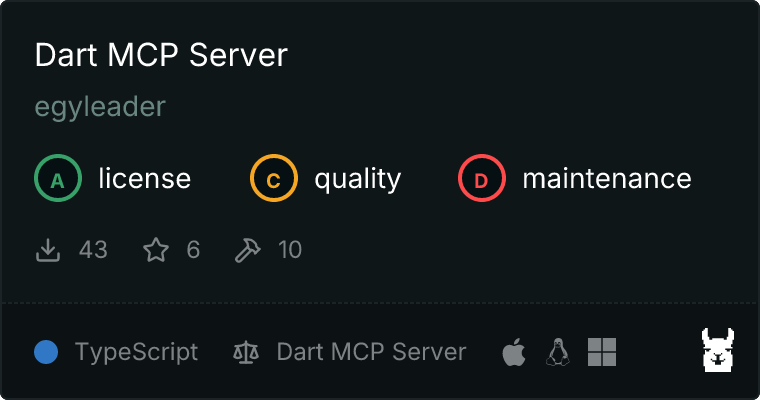
A distributable Model Context Protocol (MCP) server that exposes Dart SDK commands for AI-powered development. This server bridges the gap between AI coding assistants and Dart/Flutter development workflows by implementing the Model Context Protocol (MCP).
 ## Features
This MCP server provides seamless access to the following Dart SDK commands:
| Command | Description |
|---------|-------------|
| `dart-analyze` | Analyze Dart code for errors, warnings, and lints |
| `dart-compile` | Compile Dart to various formats (exe, AOT/JIT snapshots, JavaScript) |
| `dart-create` | Create new Dart projects from templates |
| `dart-doc` | Generate API documentation for Dart projects |
| `dart-fix` | Apply automated fixes to Dart source code |
| `dart-format` | Format Dart source code according to style guidelines |
| `dart-info` | Show diagnostic information about the installed Dart tooling |
| `dart-package` | Work with packages (get, add, upgrade, outdated, etc.) |
| `dart-run` | Run Dart programs with support for passing arguments |
| `dart-test` | Run tests with support for filtering and reporting options |
### Key Benefits
- **Intelligent Path Handling**: Automatically resolves relative paths to absolute paths, ensuring commands work correctly regardless of working directory
- **Project Auto-Detection**: Identifies Dart/Flutter projects in common locations like home directories and workspaces
- **Cross-Platform Support**: Works on macOS, Linux, and Windows
- **Zero Configuration**: Works out of the box with sensible defaults
- **MCP Integration**: Compatible with any MCP client, including Windsurf, Cline, and other Model Context Protocol implementations
## Prerequisites
- **Node.js**: 18.x or higher
- **Dart SDK**: 3.0 or higher installed and available in your PATH
## Installation
### Installing via Smithery
To install Dart MCP Server for Claude Desktop automatically via [Smithery](https://smithery.ai/server/@egyleader/dart-mcp):
```bash
npx -y @smithery/cli install @egyleader/dart-mcp --client claude
```
### Using npx (recommended)
The server can be run directly without installation using npx:
```bash
npx @egyleader/dart-mcp-server
```
### Global Installation
For easier access, you can install the server globally:
```bash
npm install -g @egyleader/dart-mcp-server
```
Then run it using:
```bash
dart-mcp-server
```
### From Source
```bash
# Clone the repository
git clone https://github.com/egyleader/dart-mcp-server.git
cd dart-mcp-server
# Install dependencies
npm install
# Build the project
npm run build
# Run the server
node dist/index.js
```
## Integration with MCP Clients
### Windsurf / Codeium IDE Configuration
To use this MCP server with Windsurf or Codeium IDE, add the following to your `mcp_config.json` file (typically located at `~/.codeium/windsurf/mcp_config.json`):
```json
{
"mcpServers": {
"dart": {
"command": "npx",
"args": [
"-y",
"@egyleader/dart-mcp-server"
]
}
}
}
```
### Environment Variables
- `DART_MCP_VERBOSE`: Set to any value to enable verbose logging for debugging
## MCP Tool Usage Examples
Here are examples of how to use the MCP tools provided by the server. These examples show the parameters that can be passed to each tool.
### dart-analyze
Analyze Dart code for errors, warnings, and lints:
```json
{
"path": "lib/main.dart",
"options": ["--fatal-infos", "--fatal-warnings"]
}
```
### dart-compile
Compile Dart code to various formats:
```json
{
"path": "lib/main.dart",
"format": "exe",
"output": "build/app",
"options": ["--verbose"]
}
```
Supported formats: `exe`, `aot-snapshot`, `jit-snapshot`, `kernel`, `js`
### dart-create
Create a new Dart project from a template:
```json
{
"projectName": "my_awesome_app",
"template": "console",
"output": "projects/my_awesome_app",
"options": ["--force"]
}
```
**Note on projectName and output:**
- If only `projectName` is provided, it's used as the directory name where the project is created.
- If `output` is provided, it's used as the directory where the project is created.
- The actual package/project name in Dart is derived from the final directory name by the Dart CLI.
Supported templates: `console`, `package`, `server-shelf`, `web`
### dart-doc
Generate API documentation for a Dart project:
```json
{
"path": ".",
"output": "doc",
"options": ["--exclude", "lib/generated"]
}
```
### dart-fix
Apply automated fixes to Dart source code:
```json
{
"path": "lib",
"apply": true,
"options": ["--pedantic"]
}
```
### dart-format
Format Dart source code according to style guidelines:
```json
{
"paths": ["lib/main.dart", "lib/models"],
"setExitIfChanged": true,
"options": ["--line-length=100"]
}
```
### dart-info
Show diagnostic information about the installed Dart tooling:
```json
{
"options": ["--verbose"]
}
```
### dart-package
Work with packages (pub commands):
```json
{
"command": "get",
"workingDir": ".",
"args": ["--offline"]
}
```
Supported commands: `get`, `upgrade`, `outdated`, `add`, `remove`, `publish`, `deps`, `downgrade`, `cache`, `run`, `global`
### dart-run
Run Dart programs with support for passing arguments:
```json
{
"script": "bin/server.dart",
"workingDir": ".",
"args": ["--port=8080", "--mode=production"]
}
```
### dart-test
Run tests with support for filtering and reporting options:
```json
{
"path": "test",
"workingDir": ".",
"options": ["--name=login", "--platform=chrome"]
}
```
## License
This project is licensed under the MIT License - see the [LICENSE](https://github.com/egyleader/dart-mcp/tree/HEAD/LICENSE) file for details.
## Contributing
Contributions are welcome! Please feel free to submit a Pull Request.
## Tool API Reference
### dart-analyze
Analyze Dart code in a directory or file.
```typescript
{
path?: string; // Directory or file to analyze
options?: string[]; // Additional options for the dart analyze command
}
```
**Example:**
```typescript
{
path: "lib",
options: ["--fatal-infos", "--fatal-warnings"]
}
```
### dart-compile
Compile Dart to various formats.
```typescript
{
format: 'exe' | 'aot-snapshot' | 'jit-snapshot' | 'kernel' | 'js'; // Output format
path: string; // Path to the Dart file to compile
output?: string; // Output file path
options?: string[]; // Additional compilation options
}
```
**Example:**
```typescript
{
format: "exe",
path: "bin/main.dart",
output: "bin/app"
}
```
### dart-create
Create a new Dart project.
```typescript
{
template: 'console' | 'package' | 'server-shelf' | 'web'; // Project template
projectName: string; // Name of the project to create
output?: string; // Directory where to create the project
options?: string[]; // Additional project creation options
}
```
**Note:**
- If `output` is provided, the project will be created in that directory.
- If only `projectName` is provided, it will be used as the directory name.
- The actual Dart package name is derived from the final directory name.
**Example:**
```typescript
{
template: "package",
projectName: "my_dart_library",
output: "projects/my_dart_library"
}
```
### dart-doc
Generate API documentation for Dart projects.
```typescript
{
path?: string; // Directory containing the Dart package to document
output?: string; // Output directory for the generated documentation
options?: string[]; // Additional documentation options
}
```
**Example:**
```typescript
{
path: ".",
output: "doc/api"
}
```
### dart-fix
Apply automated fixes to Dart source code.
```typescript
{
path?: string; // Directory or file to apply fixes to
apply?: boolean; // Whether to apply the suggested fixes (default: true)
options?: string[]; // Additional fix options
}
```
**Example:**
```typescript
{
path: "lib",
apply: true,
options: ["--pedantic"]
}
```
### dart-format
Idiomatically format Dart source code.
```typescript
{
paths: string[]; // Files or directories to format
setExitIfChanged?: boolean; // Return exit code 1 if there are formatting changes (default: false)
options?: string[]; // Additional format options
}
```
**Example:**
```typescript
{
paths: ["lib", "test"],
setExitIfChanged: true,
options: ["--line-length=80"]
}
```
### dart-info
Show diagnostic information about the installed tooling.
```typescript
{
options?: string[]; // Additional info options
}
```
**Example:**
```typescript
{
options: ["--verbose"]
}
```
### dart-package
Work with packages (pub commands).
```typescript
{
command: 'get' | 'upgrade' | 'outdated' | 'add' | 'remove' | 'publish' | 'deps' | 'downgrade' | 'cache' | 'run' | 'global'; // Pub subcommand
args?: string[]; // Arguments for the pub subcommand
workingDir?: string; // Working directory for the command
}
```
**Examples:**
```typescript
// Add a package
{
command: "add",
args: ["rxdart"],
workingDir: "my_project"
}
// Get dependencies
{
command: "get",
workingDir: "my_project"
}
```
### dart-run
Run a Dart program.
```typescript
{
script: string; // Path to the Dart script to run
args?: string[]; // Arguments to pass to the script
workingDir?: string; // Working directory for the command
}
```
**Example:**
```typescript
{
script: "bin/main.dart",
args: ["--verbose"],
workingDir: "my_project"
}
```
### dart-test
Run tests for a project.
```typescript
{
path?: string; // Path to the test file or directory
options?: string[]; // Additional test options
workingDir?: string; // Working directory for the command
}
```
**Example:**
```typescript
{
path: "test",
options: ["--coverage", "--name=auth"],
workingDir: "my_project"
}
```
## Development
```bash
# Watch mode for development
pnpm run dev
# Build for production
pnpm run build
```
## Error Handling
The server implements comprehensive error handling:
- Command execution errors are captured and formatted appropriately
- Path resolution issues are reported with detailed diagnostics
- Timeout handling for long-running operations
- Proper exit code propagation from Dart commands
## Contributing
Please see [CONTRIBUTING.md](https://github.com/egyleader/dart-mcp/blob/HEAD/CONTRIBUTING.md) for detailed contribution guidelines.
Our commit format follows:
```
[optional scope]: [JIRA-123(optional)]
```
Example:
```
feat(tools): [DART-456] add support for dart test tags
```
## License
MIT
## Features
This MCP server provides seamless access to the following Dart SDK commands:
| Command | Description |
|---------|-------------|
| `dart-analyze` | Analyze Dart code for errors, warnings, and lints |
| `dart-compile` | Compile Dart to various formats (exe, AOT/JIT snapshots, JavaScript) |
| `dart-create` | Create new Dart projects from templates |
| `dart-doc` | Generate API documentation for Dart projects |
| `dart-fix` | Apply automated fixes to Dart source code |
| `dart-format` | Format Dart source code according to style guidelines |
| `dart-info` | Show diagnostic information about the installed Dart tooling |
| `dart-package` | Work with packages (get, add, upgrade, outdated, etc.) |
| `dart-run` | Run Dart programs with support for passing arguments |
| `dart-test` | Run tests with support for filtering and reporting options |
### Key Benefits
- **Intelligent Path Handling**: Automatically resolves relative paths to absolute paths, ensuring commands work correctly regardless of working directory
- **Project Auto-Detection**: Identifies Dart/Flutter projects in common locations like home directories and workspaces
- **Cross-Platform Support**: Works on macOS, Linux, and Windows
- **Zero Configuration**: Works out of the box with sensible defaults
- **MCP Integration**: Compatible with any MCP client, including Windsurf, Cline, and other Model Context Protocol implementations
## Prerequisites
- **Node.js**: 18.x or higher
- **Dart SDK**: 3.0 or higher installed and available in your PATH
## Installation
### Installing via Smithery
To install Dart MCP Server for Claude Desktop automatically via [Smithery](https://smithery.ai/server/@egyleader/dart-mcp):
```bash
npx -y @smithery/cli install @egyleader/dart-mcp --client claude
```
### Using npx (recommended)
The server can be run directly without installation using npx:
```bash
npx @egyleader/dart-mcp-server
```
### Global Installation
For easier access, you can install the server globally:
```bash
npm install -g @egyleader/dart-mcp-server
```
Then run it using:
```bash
dart-mcp-server
```
### From Source
```bash
# Clone the repository
git clone https://github.com/egyleader/dart-mcp-server.git
cd dart-mcp-server
# Install dependencies
npm install
# Build the project
npm run build
# Run the server
node dist/index.js
```
## Integration with MCP Clients
### Windsurf / Codeium IDE Configuration
To use this MCP server with Windsurf or Codeium IDE, add the following to your `mcp_config.json` file (typically located at `~/.codeium/windsurf/mcp_config.json`):
```json
{
"mcpServers": {
"dart": {
"command": "npx",
"args": [
"-y",
"@egyleader/dart-mcp-server"
]
}
}
}
```
### Environment Variables
- `DART_MCP_VERBOSE`: Set to any value to enable verbose logging for debugging
## MCP Tool Usage Examples
Here are examples of how to use the MCP tools provided by the server. These examples show the parameters that can be passed to each tool.
### dart-analyze
Analyze Dart code for errors, warnings, and lints:
```json
{
"path": "lib/main.dart",
"options": ["--fatal-infos", "--fatal-warnings"]
}
```
### dart-compile
Compile Dart code to various formats:
```json
{
"path": "lib/main.dart",
"format": "exe",
"output": "build/app",
"options": ["--verbose"]
}
```
Supported formats: `exe`, `aot-snapshot`, `jit-snapshot`, `kernel`, `js`
### dart-create
Create a new Dart project from a template:
```json
{
"projectName": "my_awesome_app",
"template": "console",
"output": "projects/my_awesome_app",
"options": ["--force"]
}
```
**Note on projectName and output:**
- If only `projectName` is provided, it's used as the directory name where the project is created.
- If `output` is provided, it's used as the directory where the project is created.
- The actual package/project name in Dart is derived from the final directory name by the Dart CLI.
Supported templates: `console`, `package`, `server-shelf`, `web`
### dart-doc
Generate API documentation for a Dart project:
```json
{
"path": ".",
"output": "doc",
"options": ["--exclude", "lib/generated"]
}
```
### dart-fix
Apply automated fixes to Dart source code:
```json
{
"path": "lib",
"apply": true,
"options": ["--pedantic"]
}
```
### dart-format
Format Dart source code according to style guidelines:
```json
{
"paths": ["lib/main.dart", "lib/models"],
"setExitIfChanged": true,
"options": ["--line-length=100"]
}
```
### dart-info
Show diagnostic information about the installed Dart tooling:
```json
{
"options": ["--verbose"]
}
```
### dart-package
Work with packages (pub commands):
```json
{
"command": "get",
"workingDir": ".",
"args": ["--offline"]
}
```
Supported commands: `get`, `upgrade`, `outdated`, `add`, `remove`, `publish`, `deps`, `downgrade`, `cache`, `run`, `global`
### dart-run
Run Dart programs with support for passing arguments:
```json
{
"script": "bin/server.dart",
"workingDir": ".",
"args": ["--port=8080", "--mode=production"]
}
```
### dart-test
Run tests with support for filtering and reporting options:
```json
{
"path": "test",
"workingDir": ".",
"options": ["--name=login", "--platform=chrome"]
}
```
## License
This project is licensed under the MIT License - see the [LICENSE](https://github.com/egyleader/dart-mcp/tree/HEAD/LICENSE) file for details.
## Contributing
Contributions are welcome! Please feel free to submit a Pull Request.
## Tool API Reference
### dart-analyze
Analyze Dart code in a directory or file.
```typescript
{
path?: string; // Directory or file to analyze
options?: string[]; // Additional options for the dart analyze command
}
```
**Example:**
```typescript
{
path: "lib",
options: ["--fatal-infos", "--fatal-warnings"]
}
```
### dart-compile
Compile Dart to various formats.
```typescript
{
format: 'exe' | 'aot-snapshot' | 'jit-snapshot' | 'kernel' | 'js'; // Output format
path: string; // Path to the Dart file to compile
output?: string; // Output file path
options?: string[]; // Additional compilation options
}
```
**Example:**
```typescript
{
format: "exe",
path: "bin/main.dart",
output: "bin/app"
}
```
### dart-create
Create a new Dart project.
```typescript
{
template: 'console' | 'package' | 'server-shelf' | 'web'; // Project template
projectName: string; // Name of the project to create
output?: string; // Directory where to create the project
options?: string[]; // Additional project creation options
}
```
**Note:**
- If `output` is provided, the project will be created in that directory.
- If only `projectName` is provided, it will be used as the directory name.
- The actual Dart package name is derived from the final directory name.
**Example:**
```typescript
{
template: "package",
projectName: "my_dart_library",
output: "projects/my_dart_library"
}
```
### dart-doc
Generate API documentation for Dart projects.
```typescript
{
path?: string; // Directory containing the Dart package to document
output?: string; // Output directory for the generated documentation
options?: string[]; // Additional documentation options
}
```
**Example:**
```typescript
{
path: ".",
output: "doc/api"
}
```
### dart-fix
Apply automated fixes to Dart source code.
```typescript
{
path?: string; // Directory or file to apply fixes to
apply?: boolean; // Whether to apply the suggested fixes (default: true)
options?: string[]; // Additional fix options
}
```
**Example:**
```typescript
{
path: "lib",
apply: true,
options: ["--pedantic"]
}
```
### dart-format
Idiomatically format Dart source code.
```typescript
{
paths: string[]; // Files or directories to format
setExitIfChanged?: boolean; // Return exit code 1 if there are formatting changes (default: false)
options?: string[]; // Additional format options
}
```
**Example:**
```typescript
{
paths: ["lib", "test"],
setExitIfChanged: true,
options: ["--line-length=80"]
}
```
### dart-info
Show diagnostic information about the installed tooling.
```typescript
{
options?: string[]; // Additional info options
}
```
**Example:**
```typescript
{
options: ["--verbose"]
}
```
### dart-package
Work with packages (pub commands).
```typescript
{
command: 'get' | 'upgrade' | 'outdated' | 'add' | 'remove' | 'publish' | 'deps' | 'downgrade' | 'cache' | 'run' | 'global'; // Pub subcommand
args?: string[]; // Arguments for the pub subcommand
workingDir?: string; // Working directory for the command
}
```
**Examples:**
```typescript
// Add a package
{
command: "add",
args: ["rxdart"],
workingDir: "my_project"
}
// Get dependencies
{
command: "get",
workingDir: "my_project"
}
```
### dart-run
Run a Dart program.
```typescript
{
script: string; // Path to the Dart script to run
args?: string[]; // Arguments to pass to the script
workingDir?: string; // Working directory for the command
}
```
**Example:**
```typescript
{
script: "bin/main.dart",
args: ["--verbose"],
workingDir: "my_project"
}
```
### dart-test
Run tests for a project.
```typescript
{
path?: string; // Path to the test file or directory
options?: string[]; // Additional test options
workingDir?: string; // Working directory for the command
}
```
**Example:**
```typescript
{
path: "test",
options: ["--coverage", "--name=auth"],
workingDir: "my_project"
}
```
## Development
```bash
# Watch mode for development
pnpm run dev
# Build for production
pnpm run build
```
## Error Handling
The server implements comprehensive error handling:
- Command execution errors are captured and formatted appropriately
- Path resolution issues are reported with detailed diagnostics
- Timeout handling for long-running operations
- Proper exit code propagation from Dart commands
## Contributing
Please see [CONTRIBUTING.md](https://github.com/egyleader/dart-mcp/blob/HEAD/CONTRIBUTING.md) for detailed contribution guidelines.
Our commit format follows:
```
[optional scope]: [JIRA-123(optional)]
```
Example:
```
feat(tools): [DART-456] add support for dart test tags
```
## License
MIT