---
slug: "dbhub"
source_type: "readme"
source_url: "https://cdn.jsdelivr.net/gh/bytebase/dbhub@main/README.md"
repo: "https://github.com/bytebase/dbhub"
source_file: "README.md"
branch: "main"
---
> [!NOTE]
> Brought to you by [Bytebase](https://www.bytebase.com/), open-source database DevSecOps platform.
```bash
+------------------+ +--------------+ +------------------+
| | | | | |
| | | | | |
| Claude Desktop +--->+ +--->+ PostgreSQL |
| | | | | |
| Claude Code +--->+ +--->+ SQL Server |
| | | | | |
| Cursor +--->+ DBHub +--->+ SQLite |
| | | | | |
| VS Code +--->+ +--->+ MySQL |
| | | | | |
| Copilot CLI +--->+ +--->+ MariaDB |
| | | | | |
| | | | | |
+------------------+ +--------------+ +------------------+
MCP Clients MCP Server Databases
```
DBHub is a zero-dependency, token efficient MCP server implementing the Model Context Protocol (MCP) server interface. This lightweight gateway allows MCP-compatible clients to connect to and explore different databases:
- **Local Development First**: Zero dependency, token efficient with just two MCP tools to maximize context window
- **Multi-Database**: PostgreSQL, MySQL, MariaDB, SQL Server, and SQLite through a single interface
- **Multi-Connection**: Connect to multiple databases simultaneously with TOML configuration
- **Guardrails**: Read-only mode, row limiting, and query timeout to prevent runaway operations
- **Secure Access**: SSH tunneling and SSL/TLS encryption
## Supported Databases
PostgreSQL, MySQL, SQL Server, MariaDB, and SQLite.
## MCP Tools
DBHub implements MCP tools for database operations:
- **[execute_sql](https://dbhub.ai/tools/execute-sql)**: Execute SQL queries with transaction support and safety controls
- **[search_objects](https://dbhub.ai/tools/search-objects)**: Search and explore database schemas, tables, columns, indexes, and procedures with progressive disclosure
- **[Custom Tools](https://dbhub.ai/tools/custom-tools)**: Define reusable, parameterized SQL operations in your `dbhub.toml` configuration file
## Workbench
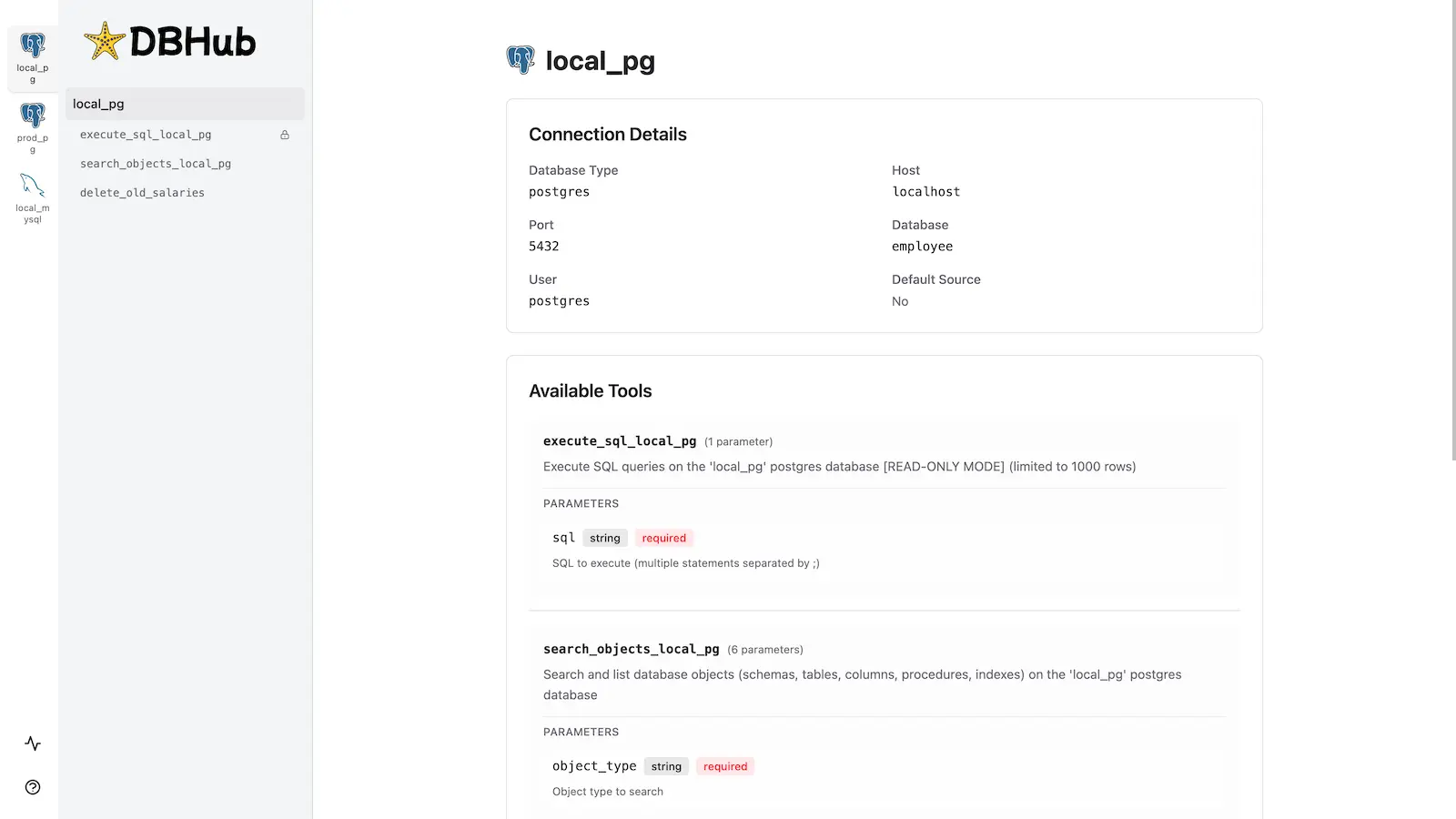
DBHub includes a [built-in web interface](https://dbhub.ai/workbench/overview) for interacting with your database tools. It provides a visual way to execute queries, run custom tools, and view request traces without requiring an MCP client.
## Installation
See the full [Installation Guide](https://dbhub.ai/installation) for detailed instructions.
### Quick Start
**Docker:**
```bash
docker run --rm --init \
--name dbhub \
--publish 8080:8080 \
bytebase/dbhub \
--transport http \
--port 8080 \
--dsn "postgres://user:password@localhost:5432/dbname?sslmode=disable"
```
**NPM:** (requires Node.js >= 22.5.0)
```bash
npx @bytebase/dbhub@latest --transport http --port 8080 --dsn "postgres://user:password@localhost:5432/dbname?sslmode=disable"
```
**MCP Bundle (one-click install):**
Download `dbhub-.mcpb` from the [latest release](https://github.com/bytebase/dbhub/releases/latest) and install it in any [MCPB-compatible client](https://github.com/modelcontextprotocol/mcpb) — Claude Desktop (double-click, or drag into Settings → Extensions), Claude Code, or MCP for Windows — then enter your database connection string. The bundle runs locally over stdio, is **read-only by design** (writes are rejected and the database session is set to read-only at the engine level), and needs no remote endpoint or OAuth setup — ideal for giving non-technical teammates curated, read-only database access. Pair it with a least-privilege, read-only database account. See the [MCP Bundle guide](https://dbhub.ai/mcpb) for details and for packaging your own bundle.
**Demo Mode:**
```bash
npx @bytebase/dbhub@latest --transport http --port 8080 --demo
```
**Restrict to loopback (recommended for production):**
```bash
npx @bytebase/dbhub@latest --transport http --host 127.0.0.1 --port 8080 --demo
```
> The HTTP transport defaults to `--host 0.0.0.0`, exposing DBHub on every network interface. For production, bind to `127.0.0.1` and front DBHub with a reverse proxy (nginx/Caddy) or firewall — DBHub does not authenticate HTTP clients.
>
> The HTTP transport also has built-in DNS-rebinding protection: it only accepts requests whose `Host` is loopback, this machine's own hostname/IPs, or a name you allow via [`--allowed-hosts`](https://dbhub.ai/config/command-line#allowed-hosts). If a client behind a reverse proxy or custom DNS name gets a `403`, add that hostname with `--allowed-hosts`.
See [Command-Line Options](https://dbhub.ai/config/command-line) for all available parameters.
### Multi-Database Setup
Connect to multiple databases simultaneously using TOML configuration files. Perfect for managing production, staging, and development databases from a single DBHub instance.
See [Multi-Database Configuration](https://dbhub.ai/config/toml) for complete setup instructions.
## Development
Requires Node.js >= 22.5.0 (DBHub uses the built-in `node:sqlite` module).
```bash
# Install dependencies
pnpm install
# Run in development mode
pnpm dev
# Build and run for production
pnpm build && pnpm start --transport stdio --dsn "postgres://user:password@localhost:5432/dbname"
```
See [Testing](https://github.com/bytebase/dbhub/blob/HEAD/.claude/skills/testing/SKILL.md) and [Debug](https://dbhub.ai/config/debug).
## Contributors
## Star History