---
slug: "georgetsouvaltzis-pi-gpt-image"
source_type: "readme"
source_url: "https://cdn.jsdelivr.net/gh/georgetsouvaltzis/pi-gpt-image@main/README.md"
repo: "https://github.com/georgetsouvaltzis/pi-gpt-image"
source_file: "README.md"
branch: "main"
---
# gpt-image
Pi extension for GPT image generation using Pi's existing ChatGPT/Codex subscription login.
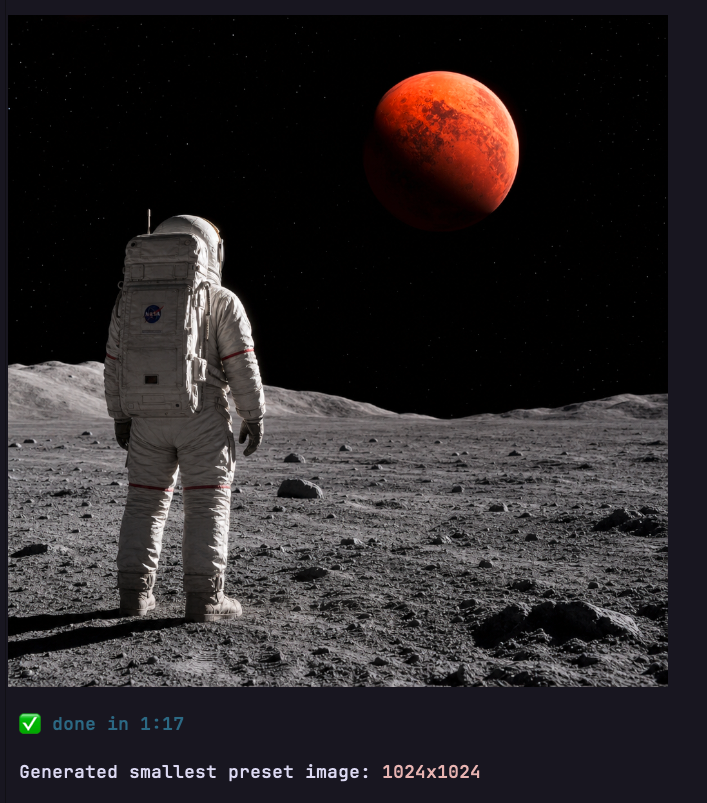
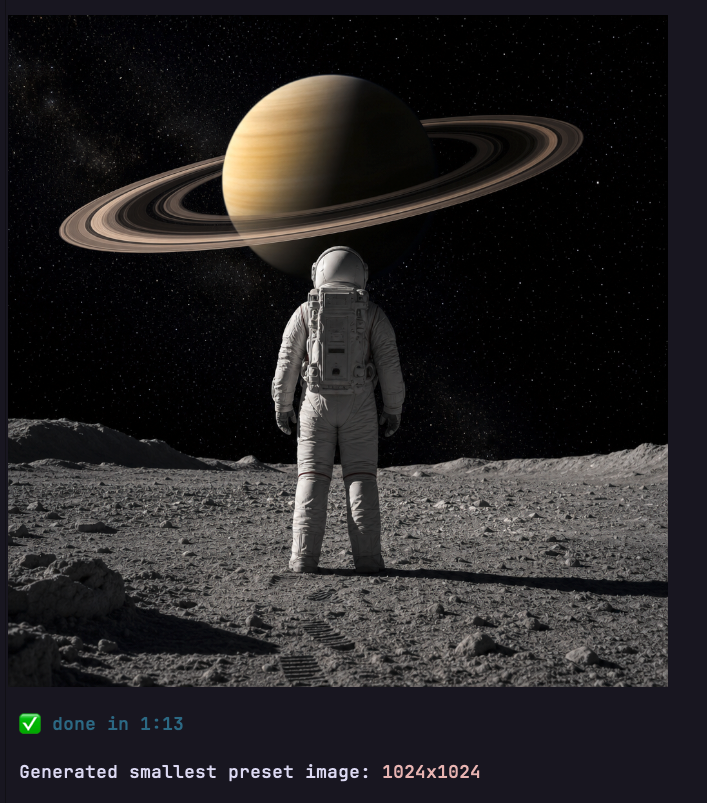
## What it does
`gpt-image` lets you generate images directly inside Pi using your existing ChatGPT Plus/Pro Codex login. It adds a natural-language image tool, saves each result to disk, keeps session-local metadata, and provides both a text list and a terminal carousel for browsing generated images.
Capabilities:
- Generate images from normal chat prompts, e.g. “Create an image of an astronaut, staring at Mars from the Moon”.
- Use Pi's `/login` credentials for `openai-codex`; no separate API key setup.
- Avoid OpenAI Platform billing; this does **not** use `OPENAI_API_KEY`.
- Save generated image files automatically under a session-local folder.
- Persist metadata in `//manifest.json`.
- List generated artifacts with `/gpt-image list`.
- Browse saved images visually with `/gpt-image list carousel`.
- Configure defaults for `size`, `quality`, `outputFormat`, and `outputDir`.
- Use project-local output by default: `.pi/gpt-image//`.
- Fail fast before generation if a custom output directory is invalid.
- Record parent/child artifact relationships for follow-up prompts.
## Install
Global install:
```bash
pi install npm:@georgetsouvaltzis/pi-gpt-image
```
Project install:
```bash
pi install -l npm:@georgetsouvaltzis/pi-gpt-image
```
## Setup
Use Pi's normal login once if needed:
```text
/login
```
Select **ChatGPT Plus/Pro (Codex)**.
Then:
```text
/reload
/gpt-image
```
## Usage
Ask normally:
```text
Create an image of an astronaut, staring at Mars from the Moon
```
Then ask for a follow-up generation:
```text
instead of Mars, make it Saturn
```
Or direct tool request:
```text
use gpt_image_generate to create a wide cyberpunk city wallpaper
```
Show artifacts for the current session only:
```text
/gpt-image list
```
Browse current-session saved images in a TUI carousel:
```text
/gpt-image list carousel
```
Keys: `←`/`→` or `h`/`l` switch images, `q`/`esc` closes.
[Watch the carousel demo](https://github.com/georgetsouvaltzis/pi-gpt-image/blob/main/assets/carousel.mp4)
Show project config plus allowed values:
```text
/gpt-image config
```
Edit project config in Pi's built-in editor:
```text
/gpt-image config edit
```
Other config commands:
```text
/gpt-image config reset
```
## Tool parameters
`gpt_image_generate` supports:
- `prompt` — required prompt text
- `size` — `auto`, exact backend size, or preset: `square`, `landscape`, `portrait`, `square-2k`, `landscape-2k`, `landscape-4k`, `portrait-4k`
- `quality` — `low`, `medium`, `high`, `auto`
- `outputFormat` — `png`, `jpeg`, `webp`
- `parentId` — optional previous artifact id to record a parent relationship; previous image bytes are not sent automatically
Saved files and metadata are session-local:
- `outputDir: "project"` → `.pi/gpt-image//`
- `outputDir: "~/Projects/gpt-images"` → `~/Projects/gpt-images//`
- metadata manifest → `//manifest.json`
If a custom `outputDir` does not exist, `/gpt-image config` asks whether to create it or lets you correct the path before saving. Generation itself never creates missing custom base directories; it fails fast before any image request.
Size presets:
- `auto` → backend chooses
- `square` → `1024x1024`
- `landscape` → `1536x1024`
- `portrait` → `1024x1536`
- `square-2k` → `2048x2048`
- `landscape-2k` → `2048x1152`
- `landscape-4k` → `3840x2160`
- `portrait-4k` → `2160x3840`
## Config
Show `.pi/gpt-image/config.json` in the project:
```text
/gpt-image config
```
Edit it:
```text
/gpt-image config edit
```
Or create `~/.pi/agent/gpt-image/config.json` globally.
Project config overrides global config. Tool-call parameters override config defaults.
Example config:
```json
{
"outputDir": "project",
"size": "auto",
"quality": "auto",
"outputFormat": "png"
}
```
## Notes
This relies on ChatGPT/Codex subscription backend behavior. It is not the OpenAI Platform Images API. If the backend changes or your account/model lacks image generation, the tool will fail with an explanatory error.