原始内容
pi-browser-harness
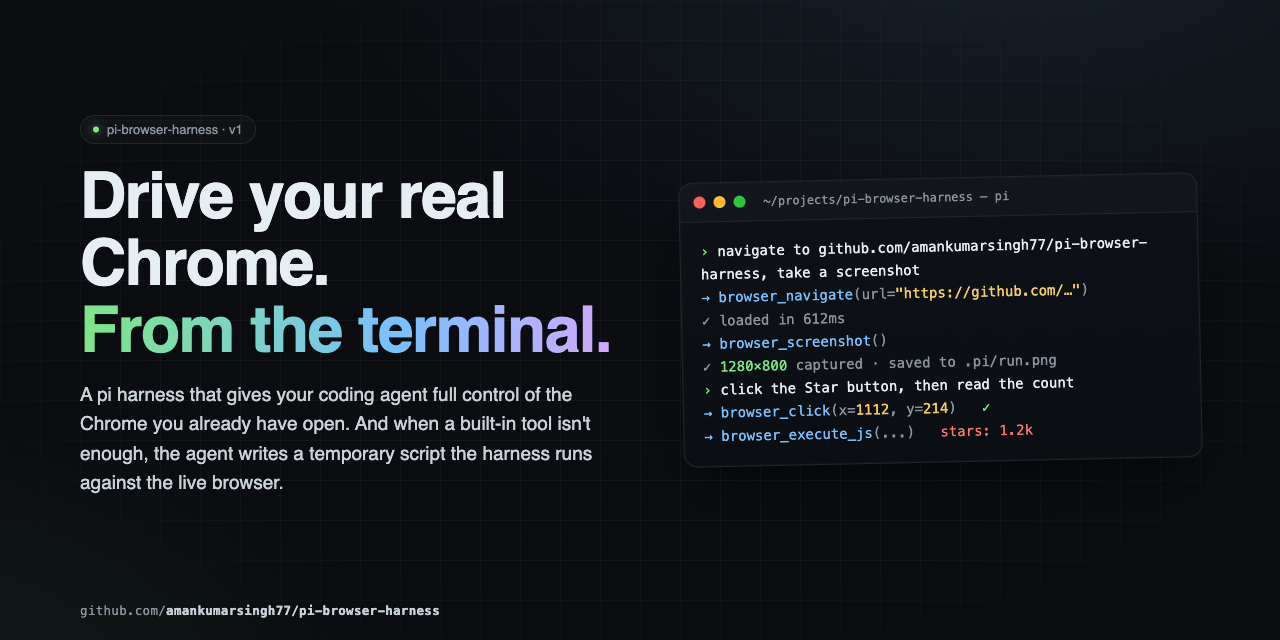
Full browser control for pi agents in your real Chrome — your sessions, your cookies, your tabs. Drives navigation, structured page reads, network capture, clicks, typing, screenshots, and arbitrary scripts via CDP.
Why pi-browser-harness?
| Capability | pi-browser-harness | Playwright MCP | Stagehand | Puppeteer MCP |
|---|---|---|---|---|
| Drives your real Chrome (logged-in sessions preserved) | ✅ | ❌ launches its own browser | ❌ | ❌ |
| Coordinate clicks that work through iframes, shadow DOM, cross-origin | ✅ | ❌ selector-based | ❌ selector-based | ❌ selector-based |
| Inline TUI screenshot rendering (Kitty/iTerm2/Ghostty/WezTerm) | ✅ | ❌ | ❌ | ❌ |
Accessibility-tree snapshot with click coords @(x,y) per element |
✅ | ✅ tree only, no coords | partial | ❌ |
| Network request capture with filters + body capture | ✅ | ✅ post-hoc list | ❌ | ❌ |
| Parallel tool execution with automatic mutation serialization | ✅ | ❌ | ❌ | ❌ |
| Temporary scripts with daemon + full Node.js | ✅ | ❌ | ❌ | ❌ |
| Direct HTTP GET outside the browser (10–50× faster for APIs) | ✅ | ❌ | ❌ | ❌ |
| Tab ownership isolation — never touches the user's other tabs | ✅ | N/A | N/A | N/A |
| Pi-native — no MCP/JSON-RPC overhead, no extra LLM API keys | ✅ | ❌ MCP roundtrip | ❌ external LLM | ❌ MCP roundtrip |
TypeScript strict mode, zero any, all CDP casts documented |
✅ | unknown | unknown | unknown |
| Ctrl+O expand/collapse on tool output | ✅ | ❌ | ❌ | ❌ |
| Compositor-level dispatch (works on every site, no flakey waits) | ✅ | ❌ | ❌ | ❌ |
If you live in pi and you want an agent driving the same Chrome you're already signed into, this is the only one that fits.
Quick Start
# 1. Install
pi install npm:pi-browser-harness

# 2. Enable Chrome remote debugging
#    Open chrome://inspect/#remote-debugging in Chrome,
#    tick "Discover network targets", click Allow.
#    Or launch Chrome with --remote-debugging-port=9222

# 3. Connect
/browser-setup
Requirements
- pi (latest)
- Node.js ≥ 22
- Chrome / Chromium / Edge
Tool hierarchy — read this first
What do you need to know?

  ├─ Page structure / what's clickable / labels?
  │     → browser_snapshot     (DEFAULT — AX tree with @(x,y) per interactive element)
  │
  ├─ A specific element's value / attribute / coords?
  │     → browser_execute_js   (e.g. el.innerText, el.getBoundingClientRect())
  │
  ├─ Network behavior on the current page?
  │     → browser_network_requests
  │
  └─ Visual rendering (layout / colors / chart drew correctly)?
        → browser_screenshot   (LAST RESORT — pixels only)
Pass @(x,y) from browser_snapshot straight to browser_click. No screenshot round-trip needed to find click targets — the snapshot already has them.
Tools
Page inspection (use these by default)
| Tool | Purpose |
|---|---|
browser_snapshot |
Default for page inspection. Returns the CDP accessibility tree with click coords @(x,y) for every interactive element. Optional includeScreenshot:true. |
browser_execute_js |
Surgical DOM reads — element text, attributes, getBoundingClientRect(). Cheapest, most precise. |
browser_network_requests |
List recent network requests on the current tab. Filter by url/method/status/type/recency; optional response-body capture. |
browser_page_info |
URL, title, viewport, scroll position, or pending dialog. |
browser_http_get |
Direct HTTP GET outside the browser — 10-50× faster for APIs. |
Research & reading
| Tool | Purpose |
|---|---|
browser_web_search |
Search the web — scrapes a Google results page in the real Chrome (no API key), returns ranked {title, url, snippet, rank}. Links only — follow up with browser_read_page. Runs in its own isolated tab. |
browser_read_page |
Reader mode — a url (opened + closed in an isolated tab) or an owned targetId → clean main-article text with nav/ads/boilerplate stripped. Use over snapshot/execute_js when you want an article's content. |
Visual (last resort)
| Tool | Purpose |
|---|---|
browser_screenshot |
Capture PNG/JPEG. Use only when you need to verify visual rendering. |
Navigation
| Tool | Purpose |
|---|---|
browser_navigate / browser_new_tab |
Navigate or open a tab |
browser_open_urls |
Open multiple URLs in parallel tabs |
browser_go_back / browser_go_forward / browser_reload |
History navigation |
browser_list_tabs / browser_current_tab / browser_switch_tab / browser_close_tab |
Tab management (only tabs this session opened) |
Interaction
| Tool | Purpose |
|---|---|
browser_click |
Click at viewport coordinates (use @(x,y) from browser_snapshot) |
browser_type |
Type text into the focused element |
browser_press_key |
Press a key with optional modifiers |
browser_scroll |
Scroll the page by delta pixels |
Utility
| Tool | Purpose |
|---|---|
browser_wait / browser_wait_for_load |
Sleep, or wait for readyState === 'complete' |
browser_handle_dialog |
Accept or dismiss alert / confirm / prompt |
browser_run_script |
Execute a temporary script with daemon and Node.js access |
Three tools (browser_snapshot, browser_network_requests, browser_execute_js) ship custom TUI rendering with Ctrl+O (app.tools.expand) to toggle between compact and full output.
Core patterns
Page inspection
browser_snapshot()
# → AX outline with @(x,y) per button/link/input
Form filling (no screenshots)
browser_snapshot()                    # find input @(x,y) and labels
browser_click({ x, y })               # click using snapshot's @(x,y)
browser_type({ text: "query" })
browser_press_key({ key: "Enter" })
browser_wait_for_load()
browser_snapshot()                    # verify next state
Data extraction
// One value
browser_execute_js({ expression: "document.querySelector('.price').innerText" })

// Direct API call outside the browser
browser_http_get({ url: "https://api.github.com/repos/amankumarsingh77/pi-browser-harness" })

// Structured arrays
browser_execute_js({ expression: `JSON.stringify(
  Array.from(document.querySelectorAll('.result')).map(el => ({
    title: el.querySelector('h3')?.textContent,
    link:  el.querySelector('a')?.href,
  }))
)` })
Network debugging
browser_navigate({ url: "https://app.example.com/feed" })
browser_wait_for_load()
browser_network_requests({
  urlPattern: "/api/",
  statusFilter: { min: 400 },
  includeResponseBodies: true
})
Research workflow
Search → read, with each tool running in its own isolated tab (your current tab is never disturbed):
browser_web_search({ query: "chrome devtools protocol overview", limit: 5 })
# → ranked {title, url, snippet, rank} — links only
browser_read_page({ url: "<the best result's url>" })
# → clean main-article text, boilerplate stripped
Deep research
For a question that needs multiple sources synthesized into a cited report, run:
/deep-research <your question>
This triggers the deep-research skill: it decomposes the question into sub-questions, fans out
one isolated web-search-researcher subagent per sub-question (each using browser_web_search +
browser_read_page), loops for coverage under a hard ceiling, and writes a cited Markdown report
file where every claim carries a source link. The skill also auto-triggers on research-shaped
requests ("research X and cite sources", "compare X and Y with sources") without the command.
Visual verification (only when pixels matter)
browser_click({ x, y })         # got coords from browser_snapshot
browser_snapshot()              # confirm the form transitioned
browser_screenshot()            # ONLY if you need to verify a chart/modal/CSS rendered correctly
Keyboard modifiers
| Key | Bit |
|---|---|
| Alt | 1 |
| Ctrl | 2 |
| Meta / Cmd | 4 |
| Shift | 8 |
browser_press_key({ key: "c", modifiers: 2 })    // Ctrl+C
browser_press_key({ key: "v", modifiers: 4 })    // Cmd+V
browser_press_key({ key: "T", modifiers: 10 })   // Ctrl+Shift+T
Dialogs
JS dialogs freeze the page. Check browser_page_info first — if it reports a dialog, handle it before anything else:
browser_handle_dialog({ action: "accept" })       // confirm
browser_handle_dialog({ action: "dismiss" })       // cancel
browser_handle_dialog({ action: "accept", promptText: "hello" })  // prompt
Parallel execution
Observation tools run in parallel by default. Mutation tools (click, type, scroll, navigate, switch_tab, …) are automatically serialized through a shared mutex — emit them in the same turn and the harness FIFO-queues them.
# All three run concurrently
browser_snapshot()
browser_network_requests({ sinceMs: 5000 })
browser_http_get({ url: "..." })
Tab ownership
The harness never touches tabs you didn't open through it. On first attach it spawns a dedicated Chrome window; subsequent browser_new_tab calls open inside that window. browser_list_tabs defaults to scope:"owned" (pass scope:"all" to see read-only listings of your other tabs); browser_switch_tab and browser_close_tab refuse non-owned tabs.
Temporary scripts
When the built-in tools aren't enough, write a script to disk and run it. Scripts get a daemon binding for direct CDP access — much faster than chaining tool calls.
write("/tmp/scrape-pages.js", `
  const results = [];
  for (const url of params.urls) {
    await daemon.session().call("Page.navigate", { url });
    await new Promise(r => setTimeout(r, 2000));
    const title = await daemon.evaluateJs("document.title");
    results.push({ url, title });
  }
  return { content: [{ type: "text", text: JSON.stringify(results, null, 2) }] };
`)

browser_run_script({ path: "/tmp/scrape-pages.js", params: { urls: [...] } })
Bindings: params, daemon, require, signal, onUpdate, ctx, console, fetch, JSON, Buffer, setTimeout, clearTimeout.
daemon exposes: evaluateJs, pageInfo, listTabs, switchTab, newTab, current, and session(targetId?) for raw CDP via session.call / session.callOnTarget / session.callBrowser / session.takeDialog.
Scripts are written to disk — auditable and re-runnable.
Commands
| Command | Description |
|---|---|
/browser-setup |
Connect pi to Chrome (run once) |
/browser-status |
Show daemon health and current page |
/browser-reload-daemon |
Restart the connection |
/deep-research <q> |
Research a question on the web and write a cited Markdown report |
What NOT to do
- Don't launch your own browser — you're connected to the user's real Chrome
- Don't type credentials — if you hit an auth wall, stop and ask
- Don't screenshot to understand the page —
browser_snapshotis the default - Don't screenshot to find click coordinates —
browser_snapshot's@(x,y)is exact - Don't screenshot to read a value —
browser_execute_jsis one round-trip - Don't ignore dialogs — check
browser_page_infofirst
Architecture
pi agent → pi-browser-harness (TypeScript)
               │ CDP WebSocket
               ▼
            Chrome
Temporary scripts run inside the harness process with full daemon and Node.js access.
Troubleshooting
| Symptom | Fix |
|---|---|
DevToolsActivePort not found |
Open chrome://inspect/#remote-debugging, tick the checkbox, click Allow |
| Connection fails after Chrome restart | Run /browser-reload-daemon |
| Page seems loaded but content is missing | SPA — call browser_snapshot again, or browser_execute_js for a specific element |
| JS dialog is blocking actions | browser_page_info will report it — use browser_handle_dialog |
| Daemon not starting | Run /browser-setup to re-run guided setup |
Snapshot didn't return @(x,y) for a target |
Element wasn't recognized as interactive. Fall back to browser_execute_js with getBoundingClientRect() |
Contributing
See CONTRIBUTING.md for setup, conventions, and PR process.
Security
This extension drives your real Chrome. The agent can see open tabs, read page content, submit forms, and act inside authenticated sessions. browser_run_script evaluates JavaScript in the pi process with full require access — review any temporary scripts before executing them.
License
MIT — see LICENSE.