原始内容
pi-collapse-tools
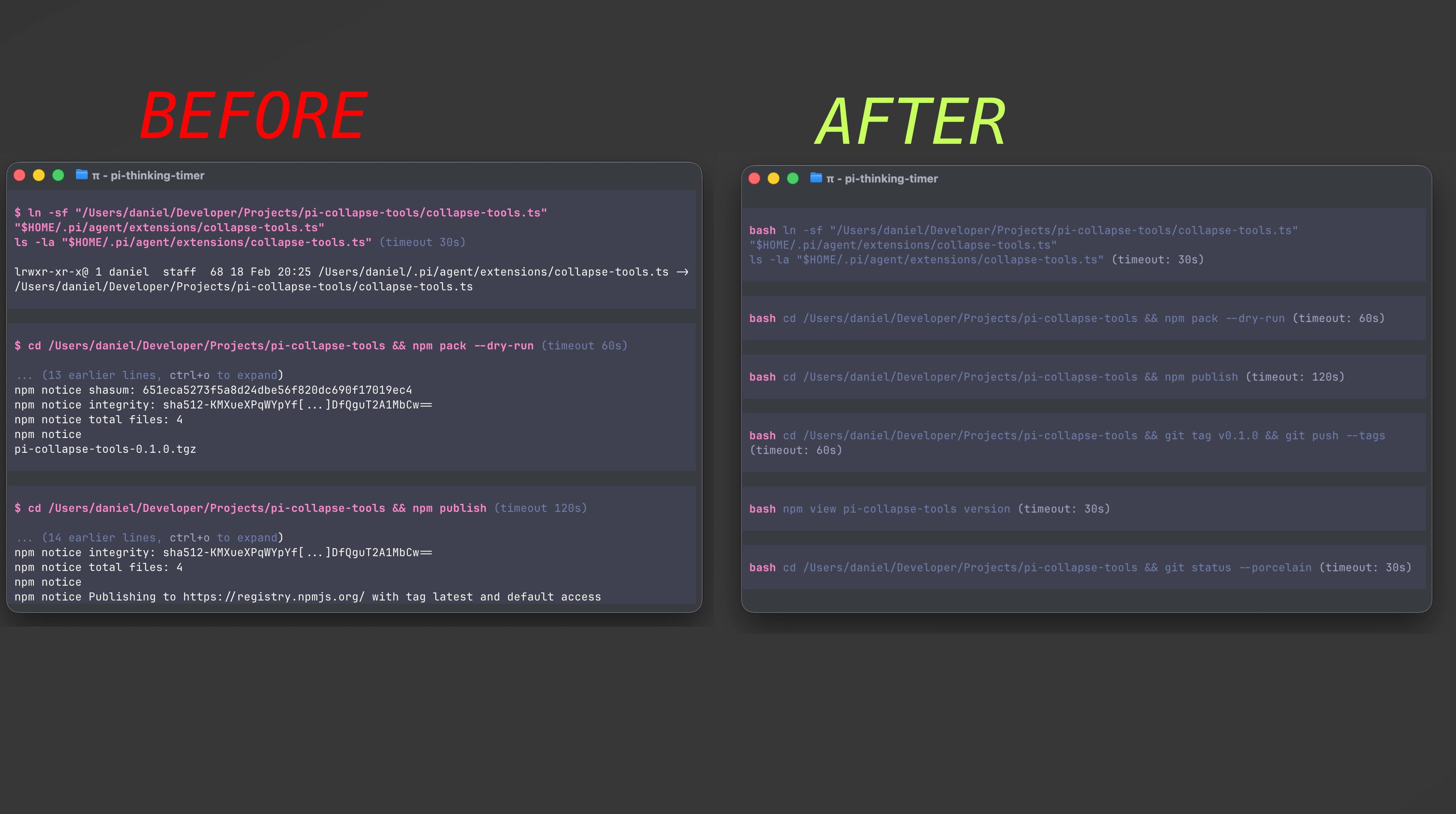
A pi extension that keeps your chat clean by hiding tool output by default.
- Tool calls still render with their key parameters (so you can see what ran).
- Tool results render nothing unless expanded.
- Press Cmd+O (macOS) / Ctrl+O (other terminals) to expand tool output.
Install
Option A: Install from npm (recommended)
pi install npm:pi-collapse-tools
Restart pi (or run /reload).
Option B: Try without installing (temporary)
pi -e npm:pi-collapse-tools
Option C: Install from GitHub
pi install git:github.com/xRyul/pi-collapse-tools
What it does (technical)
This extension overrides pi’s built-in tools by registering tools with the same names, but only for the tools you enabled via --tools / --no-tools (default: read,bash,edit,write).
It delegates execution to the built-in implementations, but changes rendering so output is collapsed by default.
Examples:
- Default tools:
pi→ wrapsread,bash,edit,write - Read-only:
pi --tools read,grep,find,ls→ also wrapsgrep,find,ls - No tools:
pi --no-tools→ wraps nothing (does not re-enable tools)
Notes
- Because it overrides built-in tools, pi will show a warning about tool overrides at startup.
- If you use another extension that also overrides these tools, they may conflict.
Development
git clone https://github.com/xRyul/pi-collapse-tools
cd pi-collapse-tools
pi -e ./index.ts
License
MIT