原始内容
pi-model-effort-coloring
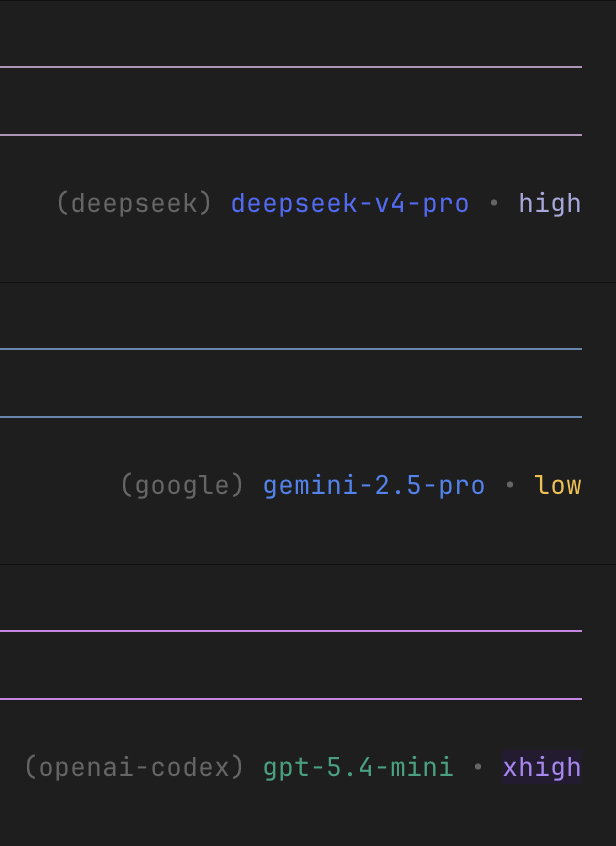
Pi extension that colors the current model name and thinking/effort level in Pi’s footer without changing the footer layout.
Installation
From npm (recommended):
pi install npm:pi-model-effort-coloring
From GitHub:
pi install git:github.com/stack-driven/pi-model-effort-coloring
From a local checkout:
pi install /absolute/path/to/pi-model-effort-coloring
Then restart your Pi session. If the package is already loaded in an interactive session, try:
/reload
If the footer does not update after /reload, quit and start Pi again.
Extension
model-effort-colors adds color accents to:
- current model/provider name
- thinking/effort level:
minimal,low,medium,high,xhigh
Color map:
- Model/provider accent: Anthropic/Claude
#DD7B5F, OpenAI#10A37F, Gemini/Google#4285F4, Groq#F55036, Mistral#FF7000, DeepSeek#4D6BFE, Llama/Meta#0866FF, OpenRouter#8B5CF6, GitLab Duo#FC6D26. - Thinking/effort accent:
minimalgray,lowyellow,mediumgreen,highlavender,xhighpulsing purple.
Security
Pi extensions run as local code with your user permissions. Review extension source before installing packages from Git or any third-party source.
License
MIT