原始内容
pi-outfits
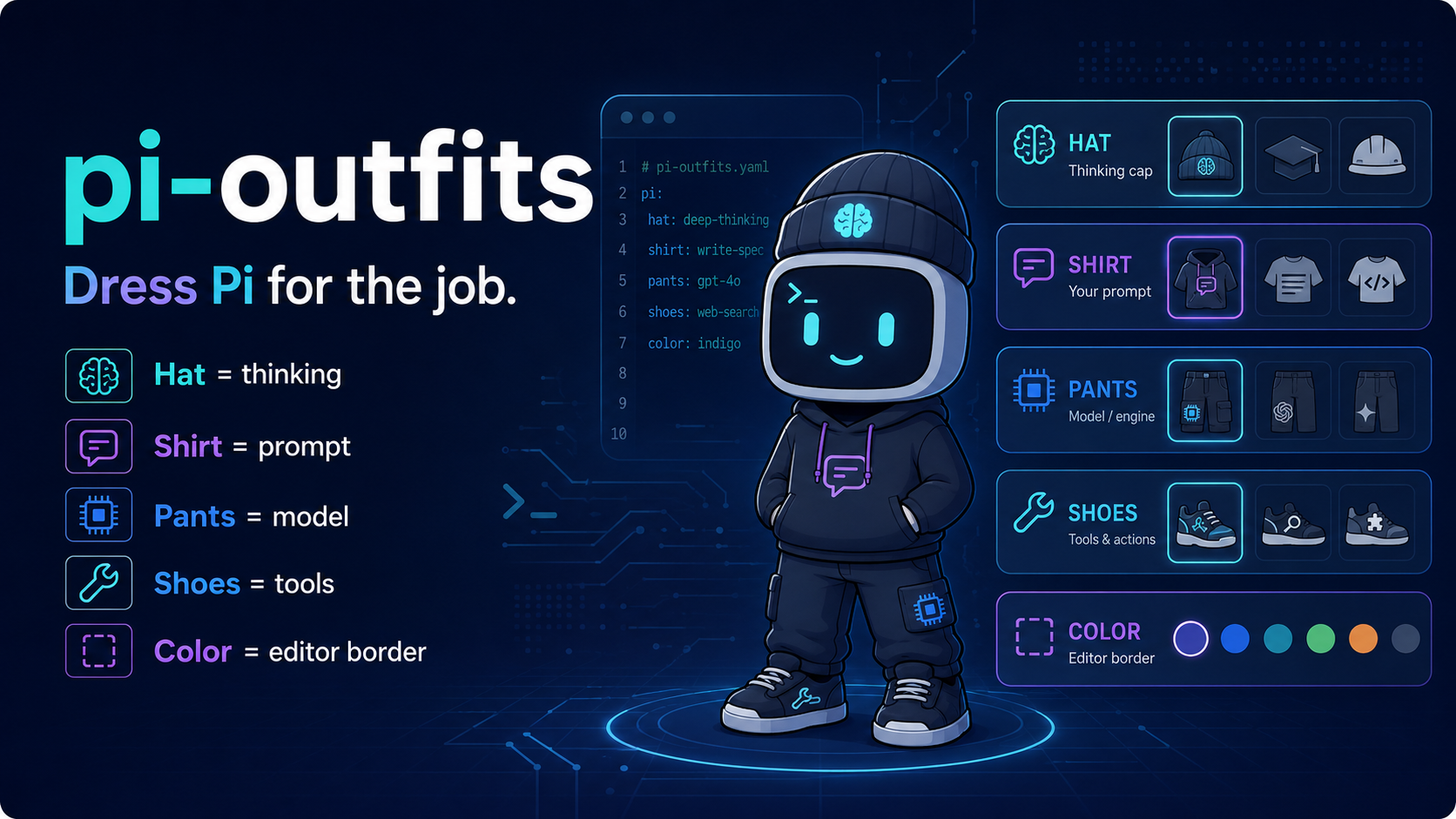
Dress Pi for the job.
Install
# after publish
pi install npm:pi-outfits

# from git
pi install git:github.com/pricci1/pi-outfits
An outfit is a tiny YAML file that picks the agent's thinking cap, shirt, pants, and shoes:
- Hat: thinking level / effort. Put on the big thinking cap when the problem bites.
- Shirt: system prompt. Slogans go on shirts; instructions go here.
- Pants: model. It does the leg work.
- Shoes: tools. Read, Write, Bash, and friends: footwear for the terrain.
- Color: editor border. Because style matters, even in a terminal.
Outfit Files
Put one outfit per .yaml or .yml file in any of these places:
~/.pi/outfits/<project>/.pi/outfits/
Outfits are loaded in that order. Later files override earlier files with the same filename stem, so project outfits override global outfits. deep-work.yaml becomes outfit id deep-work.
version: 1
name: Deep Work
description: Slow is smooth, smooth is fast
color: purple

hat: high
shirt: |
  You are a careful implementation agent.
  Read first, then make focused changes.
pants: anthropic/claude-sonnet-4-5
shoes:
  - read
  - bash
  - edit
  - write
Plain aliases work too:
hatorthinkingshirtorpromptpantsormodelshoesortools
Do not wear two hats at once: specifying both aliases for the same field is rejected.
Commands
/outfitopens the outfit picker./outfit NAMEputs onNAME./outfit listlists available outfits./outfit reloadreloads outfit files./outfit offstops using an outfit./outfit none,/outfit stop, and/outfit clearalso undress politely.alt+oopens the picker.--outfit NAMEstarts with an outfit.--outfit offstarts with no outfit.
Runtime Rules
Putting on an outfit applies its prompt, tools, model, and thinking level.
After that, you may still change:
- thinking level, because hats are adjustable
- model, because sometimes the pants need replacing
The prompt and tools stay pinned to the selected outfit until you switch outfits or stop using one.
The editor border shows the outfit id, a thinking superscript, and the runtime model in brackets only when it differs from the outfit pants. Fashion, but factual.