原始内容
pi-speeed
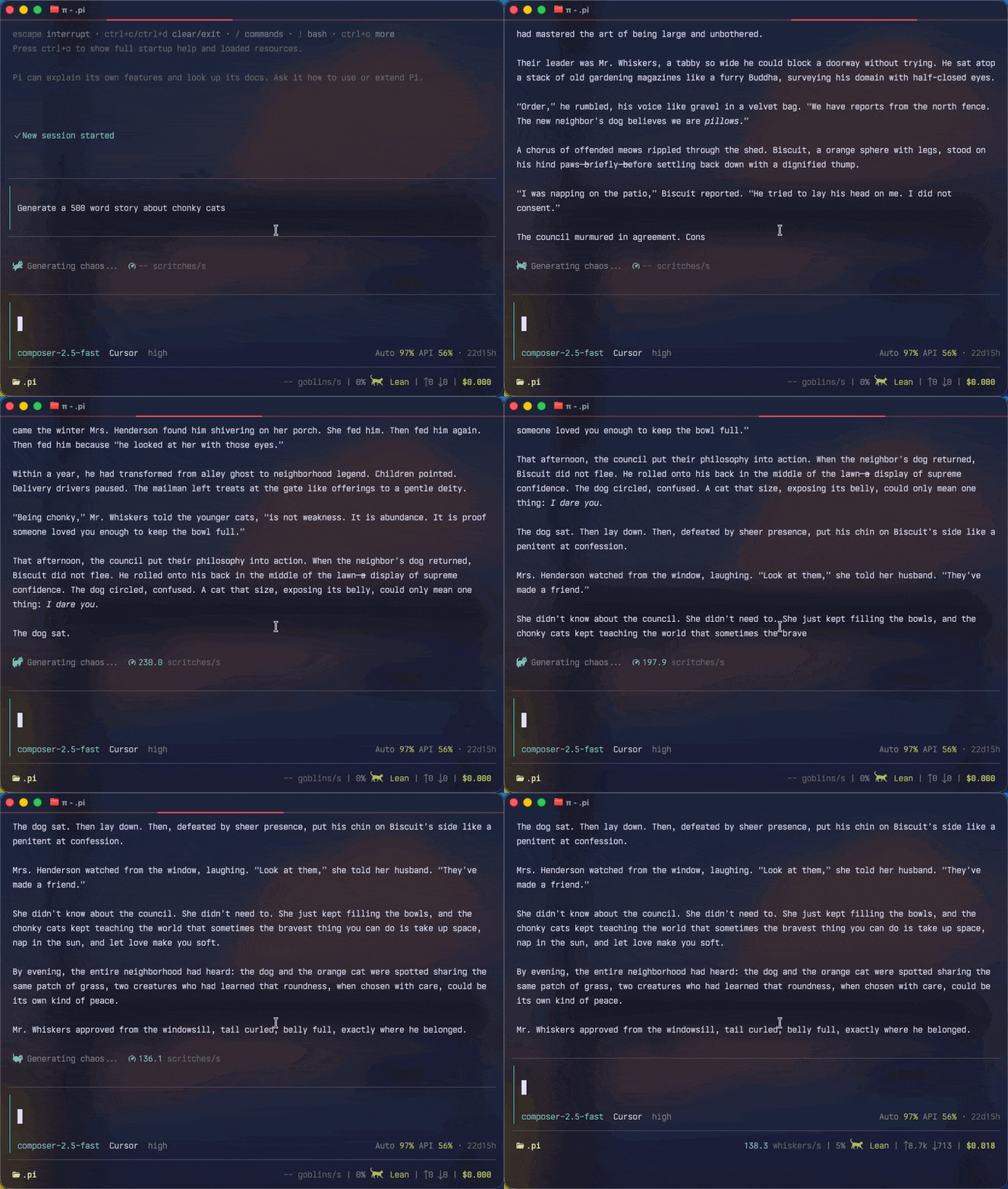
A pi extension that shows assistant output speed with a configurable RunCat speed badge.
Screenshot
Features
- Live output speed while the assistant is streaming, with bursty-stream guardrails.
- Footer status for average speed across the current session.
- RunCat working indicator whose animation speed follows token speed.
- Custom speed labels, footer prefixes, and working text presets.
- Interactive settings UI.
- Aggregate speed stats and optional per-session stats entries.
Install
From npm:
pi install npm:pi-speeed
Try without installing:
pi -e npm:pi-speeed
From GitHub:
pi install git:github.com/somus/pi-speeed
From a local checkout:
git clone https://github.com/somus/pi-speeed.git
pi install ./pi-speeed
After installing or updating, restart pi or run:
/reload
Usage
Open settings:
/pi-speeed
Open settings explicitly:
/pi-speeed settings
View aggregate speed stats:
/pi-speeed stats
Settings are changed only through the /pi-speeed UI. Command arguments do not mutate settings.
Settings
Configurable from /pi-speeed:
- Enabled on/off
- RunCat loader on/off
- Speed badge icon, including
none - Speed label presets/custom/random
- Footer status on/off
- Session-average footer prefix presets/custom/off
- Working prefix presets/custom/random
- Render interval
- RunCat default/min/max frame interval
- RunCat speed scale
- Persist session stats on/off
When Label or Working prefix is set to Random, pi-speeed chooses once per agent run and keeps that choice until the run ends.
Advanced token-speed options are intentionally hidden from the settings UI but can be edited in the config file:
speedAnimationMsslidingWindowMsminReliableDurationMsmaxDisplayTokSuseProviderTokenscountStrategy
Settings are stored at:
~/.pi/agent/pi-speeed.json
Stats
Aggregate stats are stored at:
~/.pi/agent/pi-speeed-stats.json
Aggregate speed totals exclude error and aborted messages so failed or cancelled streams do not skew speed calculations. Recent entries and stop reason counts still keep all messages.
The footer's live status shows the speed-eligible average for the current session. Aggregate stats are stored separately and include:
- speed-eligible assistant messages
- output tokens
- total duration
- average tok/s
- median message tok/s
- fastest/slowest message tok/s
- per-model stats
- recent 200 responses
Use /pi-speeed stats or Show aggregate stats in settings to view a summary.
When Persist session stats is enabled, pi-speeed also appends session custom entries with:
customType: "pi-speeed-stats"
RunCat font
RunCat frames use private-use glyphs from the bundled RunCat font. npm install runs a postinstall script that installs assets/runcat.ttf:
- macOS:
~/Library/Fonts/runcat.ttf - Linux:
~/.local/share/fonts/runcat.ttf
Manual install:
npm run install-font
Restart your terminal or select the RunCat font if glyphs still show as boxes.
Source inspiration: https://github.com/FredySandoval/pi-runcat
Custom footer integration
pi-speeed exposes footer text through pi extension status. In TUI mode this text includes Pi theme color sequences for the speed value and label:
ctx.ui.setStatus("pi-speeed", text);
Custom footer extensions can include it with footerData.getExtensionStatuses().
Package metadata
package.json declares this as a pi package:
{
	"keywords": ["pi-package"],
	"pi": {
		"extensions": ["./src/index.ts"]
	}
}
Development
Install dependencies:
npm install
Run checks:
npm run check
npm run typecheck
npm test
Package dry-run:
npm pack --dry-run
Releases use Release Please and npm trusted publishing. Merge Conventional Commits to main, then merge the Release Please PR to publish with provenance.