原始内容
Pi Startup Header
English | 简体中文
Every time you open the Pi TUI, you are greeted by the same plain, pale block of startup text:
pi v0.xx.x
escape interrupt · ctrl+c/ctrl+d clear/exit · / commands · ! bash · ctrl+o more
Press ctrl+o to show full startup help and loaded resources.

Pi can explain its own features and look up its docs. Ask it how to use or extend Pi.
It fits Pi's signature restraint perfectly, but after a while, it can start to feel a little dull. And one day, you finally get tired of it.
Summary
pi-startup-header replaces Pi's default startup header with a theme-aware gradient ASCII header.
Install
npm package
pi install npm:pi-startup-header
Git repository
pi install git:github.com/EnderLiquid/pi-startup-header
What it does
A great AI coding terminal deserves a better startup header — that is exactly what pi-startup-header is for.
Pi's official website already leaves a strong visual impression. Why not bring some of that feeling into the terminal?
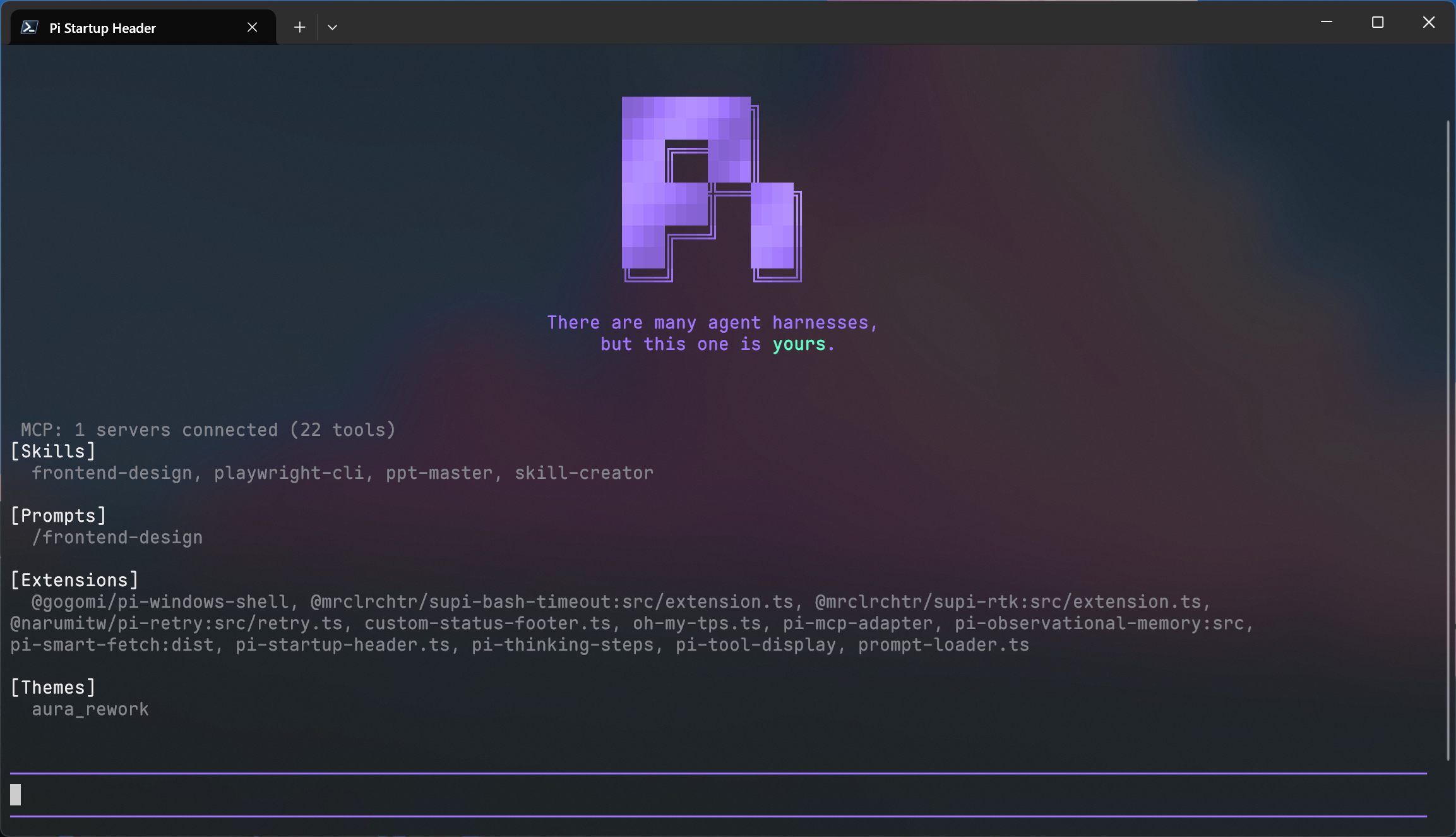
pi-startup-header does one thing: it replaces the default top header at session start with a Pi-style gradient ASCII logo and tagline. The colors of both the logo and the tagline are derived entirely from your current Pi theme, so the result stays visually consistent without any extra configuration.
From the moment Pi starts, the interface feels just a little different.
Preview
A picture is worth a thousand words:
License
MIT License