---
slug: "pisesh"
source_type: "readme"
source_url: "https://cdn.jsdelivr.net/gh/Blue-B/pisesh@main/README.md"
repo: "https://github.com/Blue-B/pisesh"
source_file: "README.md"
branch: "main"
---
# pisesh
**English** | [한국어](https://github.com/Blue-B/pisesh/blob/main/docs/README.ko.md)
[](https://www.npmjs.com/package/pisesh)
[](https://github.com/Blue-B/pisesh/actions/workflows/ci.yml)
[](LICENSE)
[](https://nodejs.org/)
[](package.json)
**Bookmark, search, and resume [pi coding-agent](https://github.com/earendil-works/pi) sessions with a fast keyboard-driven TUI.**
> `pi --resume` lists every session you ever started. After a week that's 50+ entries with no titles, no tags, and no order, so you just scroll and hope. pisesh adds what was missing: ⭐ favorites, instant search, and a `[NOW]` badge for the session you're attached to.
## Preview

Real capture: ★ starred session at the top, the rest available behind the Today, Here, and All tabs. Tab cycles. f stars. Enter resumes.
## Terminal walkthrough
What the TUI looks like, screen by screen. The data below is made up, not real sessions.
**Main list.** The highlighted row is the current selection, and `Tab` cycles through the tabs. The green `[NOW]` badge marks the pi session you launched from, and the cyan `✎` marks a session you renamed yourself. CJK titles stay column-aligned:

**`e` renames a session.** The first user prompt makes a poor title for a thread you keep coming back to, so press `e` to set your own. It's saved as an override (the session jsonl is never touched) and the session gets a `✎` marker in the list:

**`p` re-points the working directory** through an arrow-key directory browser. This is the cwd pi actually `cd`s into on resume, and it's also what the `Here` tab filters on. Press `s` to lock in the highlighted directory:

The **`Here` tab** shows only sessions whose effective cwd matches the directory you launched pisesh from. Inside a project you see just that project's threads, without scrolling past your home-dir scratch sessions.
## Why pisesh
Pi accumulates sessions across many working directories: your home, several project dirs, scratch tmux panes. The built-in resume picker is roughly alphabetical and forgets context. After a few weeks:
- You can't tell which session was "the one where you fixed the auth bug"
- You can't pin the 3-4 long-running threads you keep going back to
- You re-open the wrong session and pollute it with unrelated context
- You waste time searching by timestamp guessing
pisesh is a **single-file Node script** (no dependencies, ~900 LoC) that gives you everything `pi --resume` doesn't.
### Value at a glance
| Need | What you get |
| ------------------------------------------ | ---------------------------------------------------------------------------- |
| Mark important sessions | ⭐ Star/unstar with one keystroke; favorites persist to one global JSON |
| Give a thread a real name | `e` sets a custom title (marked `✎`); overrides the first-prompt label |
| See only the current project's sessions | `Here` tab filters to sessions whose cwd matches where you launched pisesh |
| Fix where a session resumes | `p` opens an arrow-key directory browser; sets the cwd pi `cd`s into |
| Find a session by what you said | `/` searches id + project + first user prompt + custom title |
| Know which session you're attached to | `[NOW]` badge on the live session (passed from pi via env var) |
| Keep your terminal clean | Alt-screen buffer, so quitting puts your terminal back the way it was (like vim) |
| Read Korean / Chinese / Japanese prompts | Display-width-aware truncation; columns never blow up on CJK |
| Open from anywhere | Run as standalone `pisesh` shell command, or `/sesh` inside pi |
| Zero install pain | No build step, no native deps, runs on Node 18+ everywhere |
| Trust it with your history | pisesh writes only two small JSON files (favorites + overrides); session jsonl files are read-only |
## Getting started
### Install the `/sesh` command in pi (recommended)
```bash
pi install npm:pisesh
```
This registers pisesh as a pi extension. Inside any pi session, type `/sesh`. The extension runs its bundled CLI, so a global npm installation is not required.
### Install the standalone CLI
```bash
npm install -g pisesh
pisesh
```
The standalone `pisesh` shell command requires this global npm installation. It is separate from `pi install npm:pisesh`.
### From source (developers)
```bash
git clone https://github.com/Blue-B/pisesh.git
cd pisesh
npm link # symlink ./bin/pisesh into your global PATH
pisesh --help
```
For local pi testing, run `pi install .` from the cloned repository so the extension and its bundled CLI stay together.
## Keys
| Key | Action |
| ---------------------------- | ------------------------------------------------------------ |
| `↑` `↓` / `j` `k` | move cursor |
| `Tab` / `h` / `l` | switch tab (`★ Favorites` → `Today` → `Here` → `All`) |
| `f` / `Space` | star / unstar the selected session |
| `Enter` | resume the session; runs `pi --session ` in its (or the overridden) cwd |
| `e` | edit name: set a custom display title, shown with `✎` in the list |
| `p` | edit cwd with an arrow-key directory browser; sets the resume / `Here` dir |
| `d` | session details (full prompt, file, byte size, timestamps) |
| `/` | search by id / project / first user prompt / custom title |
| `Esc` | clear search first, then quit |
| `q` / `Ctrl-C` | quit (terminal restored) |
| `r` | rescan session files (after pi starts a new session) |
| `c` (in details view) | copy session id to clipboard (clip.exe / pbcopy / xclip) |
| `Home` `End` `PgUp` `PgDn` | jump to top / bottom / ±10 |
## CLI (non-TUI) usage
For scripts and automation:
```bash
pisesh --list # print starred session IDs (one per line)
pisesh --json # full favorites file as JSON
pisesh --star # star a session from a script
pisesh --unstar # unstar
pisesh --help
```
## Tech Stack
[](https://nodejs.org/) [](https://developer.mozilla.org/docs/Web/JavaScript) [](https://www.typescriptlang.org/) [](https://github.com/earendil-works/pi)
| Area | Details |
| ------------------- | ------------------------------------------------------------------------------------------------ |
| Runtime | Node.js ≥ 18 (uses only built-in modules: `fs`, `path`, `os`, `child_process`, `readline`) |
| TUI rendering | Raw ANSI escape sequences (no `blessed` / `ink` / `chalk` dependency) |
| Alt screen buffer | `\x1b[?1049h` / `\x1b[?1049l`, the same primitive `vim`, `less`, `htop`, and droid CLI use |
| Input | Node's `readline.emitKeypressEvents` in raw mode |
| Width calculation | UAX #11 East Asian Width ranges, compressed to ~10 inline range checks |
| Pi extension | TypeScript factory using `@earendil-works/pi-coding-agent` extension API (`ui.custom`, `tui.stop`) |
| Storage | Two JSON files: `~/.pi/agent/favorites.json` (starred ids) + `~/.pi/agent/pisesh-meta.json` (per-session title / cwd overrides) |
| Session discovery | Direct filesystem scan of `~/.pi/agent/sessions//*.jsonl`; first 96 KB parsed |
| Process model | Slash command pauses pi's TUI, spawns pisesh with inherited stdio, restarts pi on exit |
### What it explicitly does **not** depend on
- No `npm install` for the bundled CLI runtime; it's genuinely zero-dependency
- No native binaries / GPU / ffmpeg / database
- No network calls, no telemetry, no analytics
- No daemon / background process
## Storage
| What | Where |
| ---------- | ----------------------------------------------------------- |
| Favorites | `~/.pi/agent/favorites.json` |
| Overrides | `~/.pi/agent/pisesh-meta.json` (per-session custom title / cwd, keyed by session id) |
| Sessions | `~/.pi/agent/sessions//_.jsonl` (pi's native layout; pisesh never writes here) |
Favorites file shape:
```json
{
"ids": [
"019e79b9-d2c1-741f-81ea-1dcad9a2d712",
"019e6355-9957-7a30-b4ce-b9db5e3c9ac6"
],
"updated": "2026-05-31T01:33:21.234Z"
}
```
It's a single global file (not per-project). Back it up by syncing one file.
## CJK-aware rendering
Korean / Chinese / Japanese / fullwidth characters render **2 cells wide** in terminals; pisesh measures display width (not JavaScript code-unit length) when truncating and padding. Korean prompts never wrap, columns stay aligned, and the layout looks identical whether the prompt is `hello world` or `안녕하세요 세상`.
```text
✓ webapp 로그인 폼 만들고 인증 엔드포인트 연결…
✓ 가계부앱 이번 달 지출 분석 화면 설계…
✓ docs-site 시작하기 가이드 다시 작성…
```
(Previously: Korean prompts overflowed to a second line and broke the table.)
## Requirements
- **Node.js ≥ 18 on `PATH`** (the `/sesh` extension uses `node` to run its bundled CLI)
- A terminal with ANSI escape and alternate screen buffer support, which covers basically every modern emulator:
- Windows: **Windows Terminal**, **WezTerm**, **Alacritty** ✅
- macOS: **iTerm2**, **Terminal.app**, **WezTerm**, **Alacritty**, **Kitty** ✅
- Linux: **GNOME Terminal**, **Konsole**, **xterm**, **Alacritty**, **Kitty** ✅
- [`pi`](https://www.npmjs.com/package/@earendil-works/pi-coding-agent) on `$PATH` for the `Enter`-to-resume action
## Contributing
```bash
git clone https://github.com/Blue-B/pisesh.git
cd pisesh
npm link
npm test # node --check + smoke test
```
Branch from `main` with a short-lived `feature/` or `fix/`, then squash-merge back.
Commits: [Conventional Commits](https://www.conventionalcommits.org/) style (`feat:`, `fix:`, `docs:`, `chore:`).
Open a PR. The CI matrix runs on Ubuntu, macOS, and Windows across Node 18, 20, and 22.
## Support
If pisesh saves you context-switching time or just makes pi nicer to live in, supporting it directly accelerates development:
- Your support helps: bug fixes, new keybindings, more search modes, integration with other pi extensions.
- Transparency: I don't sell data; funds go to development time and a coffee or two.
- One-time sponsors are credited in README and release notes (opt-out available).
- Monthly sponsors ($3/mo via GitHub Sponsors) get best-effort priority triage for "Sponsor Request" issues.
[](https://github.com/sponsors/Blue-B) [](https://buymeacoffee.com/beckycode7h) [](https://www.paypal.com/ncp/payment/ZEWFKDX595ESJ)
## Acknowledgments
- [pi-coding-agent](https://github.com/earendil-works/pi) by [@mariozechner](https://github.com/mariozechner), the agent and extension API that make `/sesh` possible.
- [interactive-shell example extension](https://github.com/earendil-works/pi/blob/main/packages/coding-agent/examples/extensions/interactive-shell.ts), the pattern reference for the `ui.custom` + `tui.stop` TTY handoff.
- Inspiration for the favorites + tabs UX: [droid CLI](https://github.com/factory-ai/droid) and tmux's [sesh](https://github.com/joshmedeski/sesh).
## Contributors
Thanks to everyone who helped make pisesh better 🙏
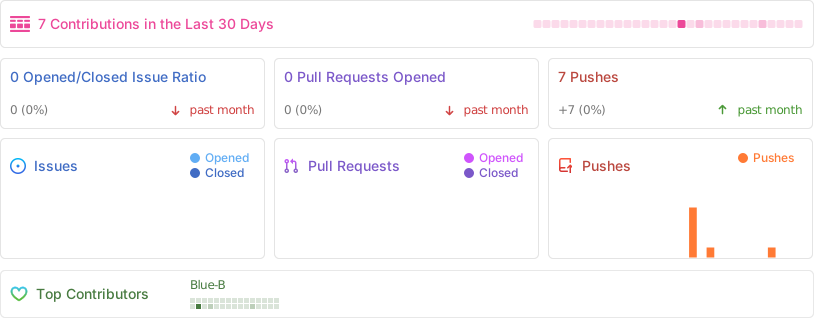
 ## Repository activity
## Star History
## Repository activity

## Star History
 ## License
MIT © [Blue-B](https://github.com/Blue-B). See [LICENSE](https://github.com/Blue-B/pisesh/tree/HEAD/LICENSE).
The pi extension uses the `@earendil-works/pi-coding-agent` API; check pi's own license for that side. The CLI binary is pure Node and has no other licenses to worry about.
## License
MIT © [Blue-B](https://github.com/Blue-B). See [LICENSE](https://github.com/Blue-B/pisesh/tree/HEAD/LICENSE).
The pi extension uses the `@earendil-works/pi-coding-agent` API; check pi's own license for that side. The CLI binary is pure Node and has no other licenses to worry about.