---
slug: "qagent-pidev-package"
source_type: "readme"
source_url: "https://cdn.jsdelivr.net/gh/haukebri/qagent-pidev-package@main/README.md"
repo: "https://github.com/haukebri/qagent-pidev-package"
source_file: "README.md"
branch: "main"
---
# QAgent for Pi
### Let Pi test your web app in a real browser.
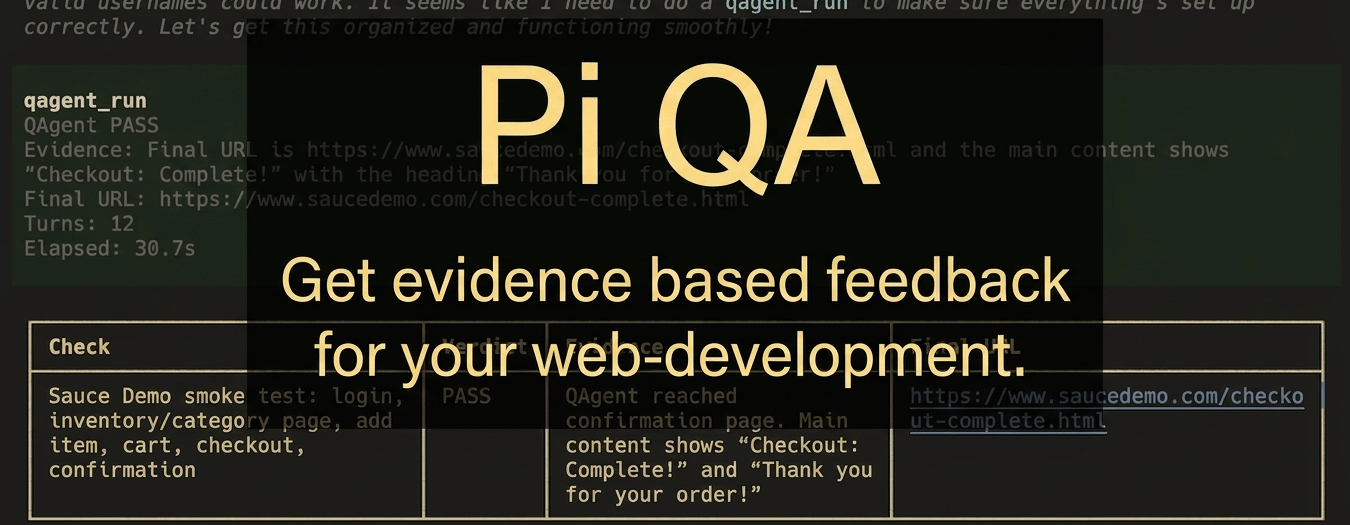
Install this package, then ask Pi to verify a page, form, or user flow. The
`qagent` skill turns that request into focused browser checks and reports what
passed, what failed, and the evidence behind the verdict.
## What This Does
QAgent for Pi gives your Pi coding session a QA helper. It can open a local or
deployed web app, interact with the page, check for visible success signals, and
summarize the result as pass, fail, or unknown.
Use it when you have just changed a UI and want an independent browser check
before calling the work done. You describe the outcome in plain language; Pi
uses QAgent to drive the browser and returns a compact, evidence-backed result.
## Install
```bash
pi install npm:@qagent/pidev-package
```
For local development from this checkout:
```bash
npm install
pi install ./
```
Requirements:
- Node.js 22.19.0 or newer.
- Pi installed and configured with an active model.
- A usable Chromium/Chrome browser for QAgent's Playwright browser runs.
## Try This First
You do not need to learn a new command syntax. After installing the package,
ask Pi for QA in plain language:
```text
Use qagent to verify http://localhost:3000 loads and the main dashboard is usable.
```
```text
Use qagent to test the signup form. Success means the confirmation message appears.
```
```text
Use qagent to check the checkout flow reaches the order confirmation page.
```
```text
Use qagent to check the feature I just changed and report what still looks broken.
```
## When To Use It
Use QAgent for Pi when you want a quick answer to questions like:
- Did the page I just changed still load?
- Does this form actually submit?
- Does the success text appear after the user flow?
- Did my fix remove the visible regression?
- Is there an obvious broken state before I hand this back?
Keep Playwright or your normal test suite for durable regression coverage. Use
QAgent for fast, goal-based checks while you are still building.
## How It Works
Pi stays in charge of the development session. The `qagent` skill acts like a
concise senior QA reviewer:
1. It identifies the target URL.
2. It turns your request into 1-5 focused browser checks.
3. It calls QAgent once per check through the `qagent_run` tool.
4. It retries an inconclusive check once.
5. It reports a compact table with the check, verdict, evidence, and final URL.
The important difference from the standalone `@qagent/cli` is authentication and
model selection. In Pi, QAgent uses Pi's active model and credentials. You do not
need a separate QAgent API key, provider config, or credential store for runs
launched through this package.
## Good Prompts
QAgent works best when the goal describes the visible success signal. Specific
success criteria beat vague instructions.
```text
Use qagent to verify http://localhost:3000/login.
Success means a user can sign in with the test account and the dashboard heading
is visible.
```
```text
Use qagent to check the contact form.
Success means submitting all required fields shows "Thanks, we received your
message."
```
```text
Use qagent to smoke-test the changed pricing page.
Check that the page loads, the plan cards are visible, and the upgrade CTA opens
the expected checkout route.
```
If you do not provide a detailed scope, the skill infers a small set of
high-signal smoke checks from the task, changed surface, and likely user-visible
risks.
## What It Is
**QAgent for Pi is for:**
- Natural-language QA inside Pi sessions.
- Fast browser checks during agentic development.
- Evidence-backed pass, fail, or unknown verdicts.
- Using Pi's current model and credentials for QAgent runs.
- Asking for several focused checks without hand-writing each runner call.
**QAgent for Pi is not:**
- A replacement for Playwright.
- A long-lived regression suite.
- A CI gate for every commit.
- A multi-page autonomous testing platform.
- A separate QAgent CLI configuration layer.
## Skill And Tool
This package registers one skill and one tool.
### `qagent` skill
Use when the user asks to test, verify, QA, smoke-test, or use QAgent against a
web app.
The skill:
- Finds or asks for the target URL.
- Converts broad QA requests into focused browser checks.
- Calls `qagent_run` once per check.
- Retries inconclusive checks once.
- Reports compact, evidence-backed verdicts.
### `qagent_run` tool
Runs QAgent against one URL and one natural-language goal using Pi's active model
and authentication.
Parameters:
| Name | Required | Purpose |
| --- | --- | --- |
| `url` | yes | Start URL for the browser run. |
| `goal` | yes | Natural-language verification goal. |
| `headed` | no | Show the browser window instead of running headless. |
| `maxTurns` | no | Maximum QAgent turns for the run. |
| `testTimeoutSeconds` | no | Overall wall-clock run timeout. |
| `networkTimeoutSeconds` | no | Per-navigation timeout. |
| `actionTimeoutSeconds` | no | Per-action timeout. |
Each result includes the QAgent outcome and evidence, with final URL, turn count,
and elapsed time when available. Tool details also include the raw QAgent result
and the run options used.
## Relationship To `@qagent/cli`
The upstream [`@qagent/cli`](https://www.npmjs.com/package/@qagent/cli) package
is the standalone runner. Install it when you want to call `qagent` directly
from a shell, configure providers yourself, stream NDJSON, or save trace files.
This package is the Pi integration:
- The `qagent` skill is the main user workflow.
- The CLI runner is used underneath through QAgent's public `runQAgent()` API.
- Pi provides model selection and request authentication.
- The tool stays deliberately narrow: one URL, one goal, one result.
## Browser Setup
QAgent needs a browser available through Playwright or a reachable system Chrome.
If your first run reports that Chromium is missing, install it once:
```bash
npx playwright install chromium
```
On minimal Linux environments, install browser system dependencies first:
```bash
npx playwright install-deps chromium
npx playwright install chromium
```
## Security Note
Pi packages execute code locally. This package launches browser automation
against URLs you provide and uses your active Pi model credentials for QAgent
runs. Only install Pi packages you trust, and be careful when testing untrusted
sites or local apps with sensitive data.
## Links
- QAgent CLI:
- QAgent repository: