原始内容
PI Extensions
Personal collection of extensions for the PI coding agent. Persistent memory, context visualization, interactive questionnaires, and a capsule-style status bar.




Features
pi-memory-honcho
Honcho-backed persistent memory with dialectic reasoning. Stores user preferences and facts across sessions, shares memory across linked AI tool workspaces, and injects context into the system prompt via configurable recall modes.
Forked from acsezen/pi-memory-honcho.
pi-context
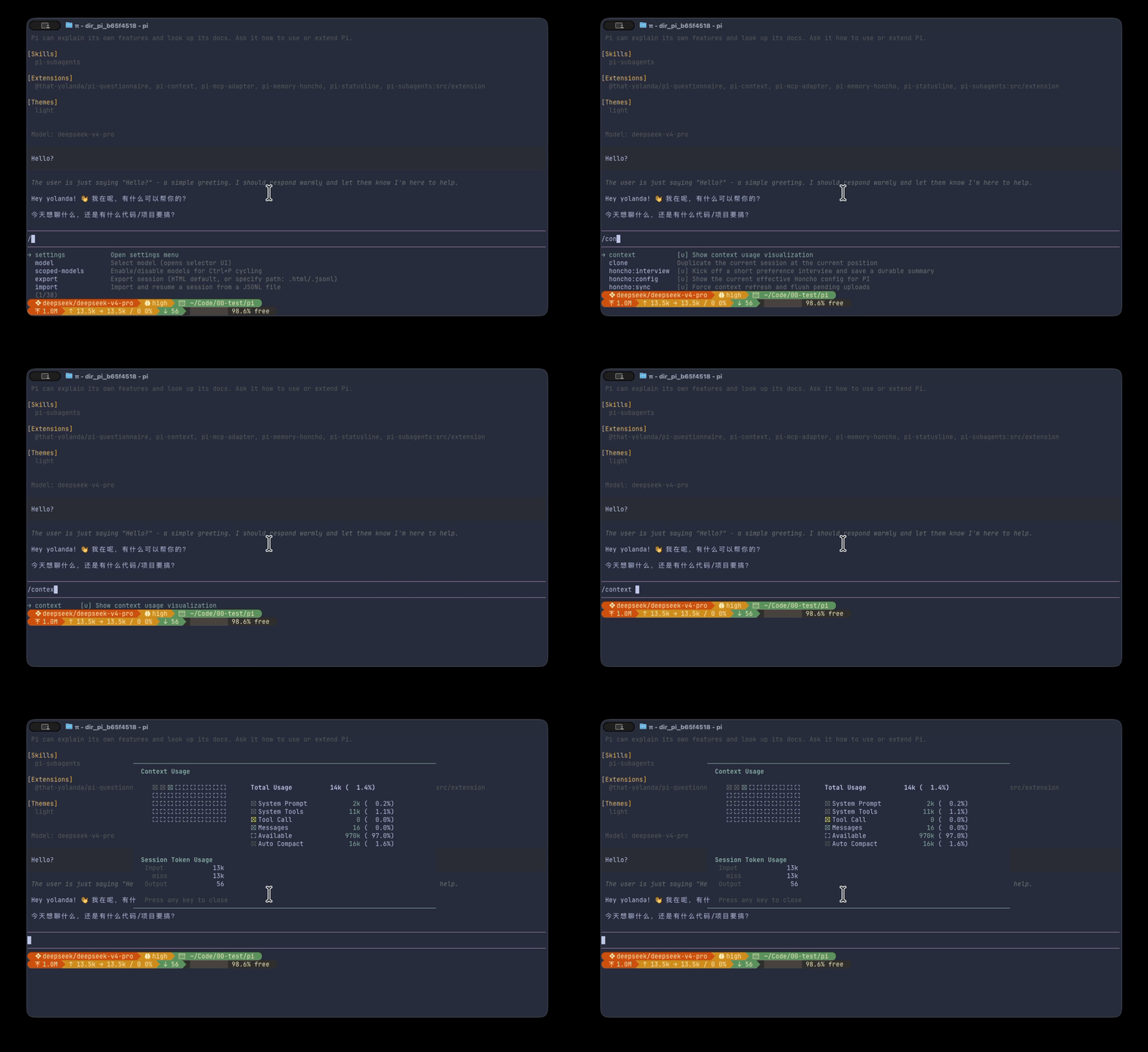
Context window visualization via the /context command. Renders a token grid with category breakdown and session token usage (input, cache hit rate, output).
pi-questionnaire
Interactive single/multi-question UI tool. Supports single-select and multi-select modes with tab bar navigation, custom text input, and inline autocomplete.
pi-statusline
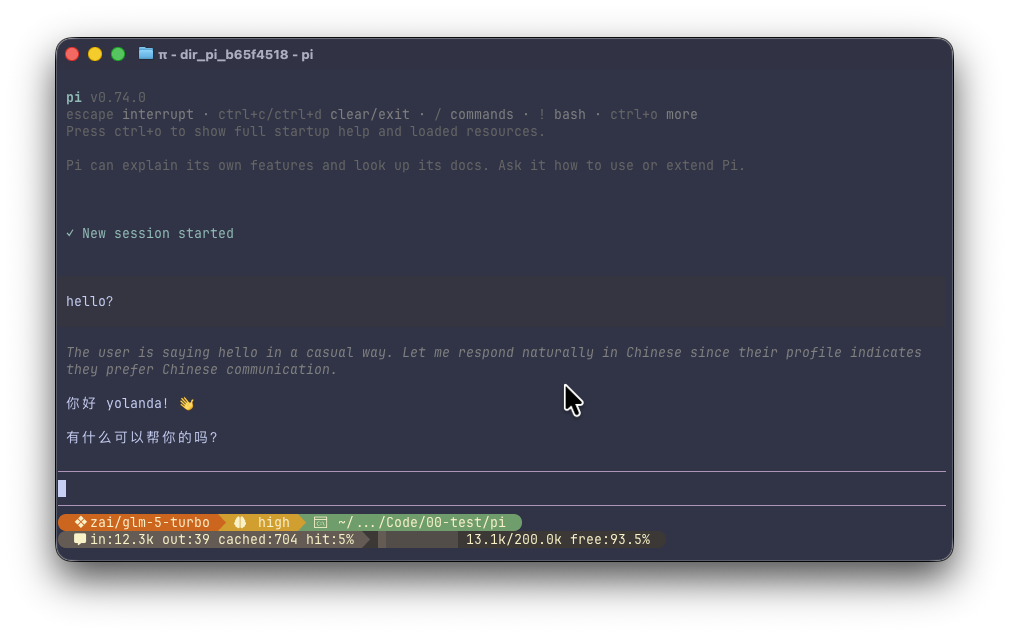
Persistent 2-line capsule-style status footer inspired by Starship. Shows provider/model, thinking level, git branch, code changes, working directory, token usage (input/cache/output), and context availability with cycling Powerline segments.
Quick Start
Install extensions into PI:
pi install npm:@that-yolanda/pi-memory-honcho
pi install npm:@that-yolanda/pi-context
pi install npm:@that-yolanda/pi-questionnaire
pi install npm:@that-yolanda/pi-statusline
See each extension's README for specific setup instructions.
Development
Prerequisites
Setup
git clone https://github.com/that-yolanda/pi-extensions.git
cd pi-extensions
pnpm install
Commands
# Lint & format
pnpm check
pnpm fix

# Run all tests
pnpm test

# Single extension
pnpm --filter pi-memory-honcho test
pnpm --filter pi-memory-honcho typecheck