---
slug: "wp-next"
source_type: "readme"
source_url: "https://cdn.jsdelivr.net/gh/rnaga/wp-next@main/README.md"
repo: "https://github.com/rnaga/wp-next"
source_file: "README.md"
branch: "main"
---
# WP-Next
## 📖 [Full Documentation → rnaga.github.io/wp-next](https://rnaga.github.io/wp-next/)
> For guides, concepts, and examples, the documentation site is the best starting point.
**WP-Next** is a **TypeScript-first** toolkit for building **WordPress-powered Next.js applications** — with a visual drag-and-drop editor, a modern React admin dashboard, and **first-class AI support** built in from day one.
 ---
## Two Products, One Stack
WP-Next ships as two products you can use together or independently:
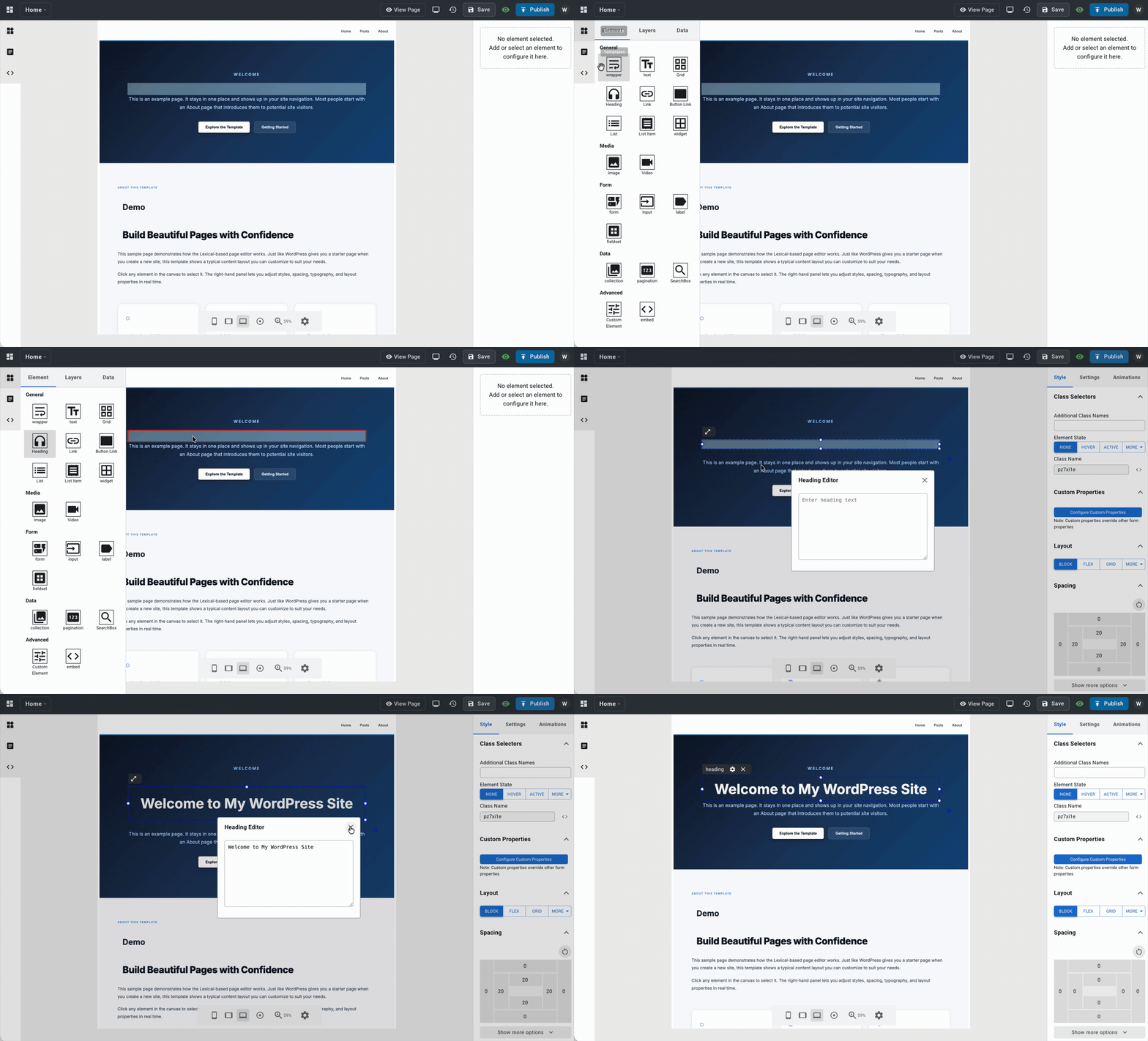
- **WP-Next Editor** — visual site builder with live preview, responsive breakpoints, dynamic WordPress data binding, and AI-powered template authoring. Includes Admin automatically.
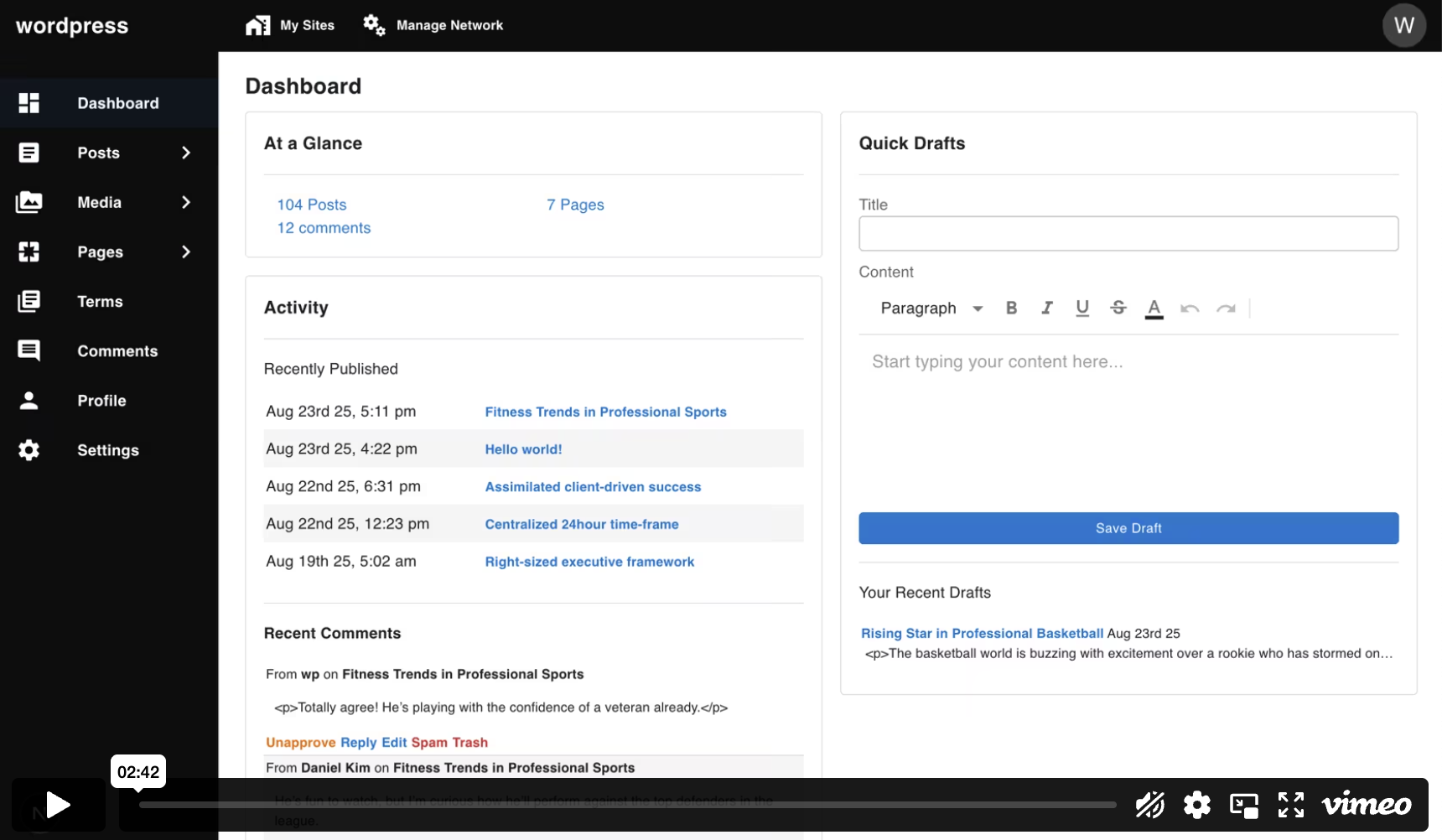
- **WP-Next Admin** — standalone React admin dashboard you can adopt without the editor.
Use both as one stack, or start with Admin alone.
---
## Quick Demo
Run a ready-made WP-Next Editor example using Docker. This is the recommended demo because it includes the editor and the admin dashboard in one setup:
```bash
docker run --rm --init -it --name wp-next-editor-example -p 3000:3000 \
-v wp-next-editor_public:/app/editor/public \
-v wp-next-editor_db:/var/lib/mysql \
rnagat/wp-next-editor-example:latest
```
Log in with:
```text
Username: wp
Password: wp
```
- Editor: [http://localhost:3000/admin/1/editor](http://localhost:3000/admin/1/editor)
- Admin Dashboard: [http://localhost:3000/admin](http://localhost:3000/admin)
To stop the container:
```bash
docker stop wp-next-editor-example
```
## Prerequisites
Both products require a running WordPress database. If you don't already have WordPress installed, see the [WP-Node installation guide](https://rnaga.github.io/wp-node/docs/getting-started/installation#prerequisites).
## Getting Started
Choose the setup that matches what you want to build:
### Build WP-Next Editor + Admin
Use this if you want the full WP-Next experience. This installs both packages, with WP-Next Admin included as part of the editor setup.
```bash
npx @rnaga/wp-next-cli -- initEditor
```
See the [Editor Installation guide](https://rnaga.github.io/wp-next/docs/editor/installation) for the full setup walkthrough.
### Build WP-Next Admin Only
Run this only if you want to start up **WP-Next Admin** without the visual editor:
```bash
npx @rnaga/wp-next-cli -- initAdmin
```
See the [Admin Getting Started guide](https://rnaga.github.io/wp-next/docs/admin/getting-started) for the full setup walkthrough.
## WP-Next Editor
WP-Next Editor is a visual, drag-and-drop website builder for building public-facing WordPress sites directly connected to your WordPress database. Templates and pages are stored as structured [Lexical](https://lexical.dev/docs/intro) JSON in the WordPress database — making them version-controllable, programmatically manipulable, and AI-ready.
### Key Features
- **Drag-and-drop canvas** — build pages visually with a live preview. Select, resize, nest, and animate elements directly on the canvas.
- **Responsive design** — set per-device breakpoints (desktop, tablet, mobile) and CSS states (hover, focus, etc.). Each device gets its own `@media` query at render time.
- **Dynamic data binding** — pull posts, users, taxonomies, and options directly from the WordPress database into any element. No custom API endpoints required.
- **Widget system** — embed sub-templates (widgets) inside other templates for reusable headers, footers, and components. Widget variants let the same widget render different content per embedding.
- **CSS variables** — define design tokens at the template level and reference them across all elements for consistent theming.
- **Animations** — attach CSS keyframe animations (98 Animate.css presets) to any element, triggered by hover, click, scroll, and more.
- **JSON editor** — edit the raw Lexical JSON directly in a built-in code editor for precise control over template structure.
- **Save history** — create and manage template save points with preview and restore support.
### AI-Powered Template Authoring — Built-in Agent Skills
WP-Next Editor ships with a built-in **[Agent Skill](https://agentskills.io/home)** (`/wp-next-editor-template`) that lets you build and modify templates using natural-language prompts. All templates are stored as Lexical JSON, so AI agents can read, write, and transform them directly.
[Agent Skills](https://agentskills.io/home) is an open standard supported by Claude Code, OpenAI Codex, GitHub Copilot, Cursor, Gemini CLI, VS Code, and more. Install the skill once and use it with whichever coding agent you prefer.
The skill supports four modes:
| Mode | What it does |
| --------- | ----------------------------------------------------------- |
| `create` | Scaffold a new template from a natural-language description |
| `update` | Modify an existing template based on a prompt |
| `convert` | Convert HTML/CSS into a Lexical JSON template |
| `help` | Describe available nodes, styles, and patterns |
Install the skill with:
```bash
npx @rnaga/wp-next-cli -- editor agentSkills add
```
Example prompt:
```
/wp-next-editor-template create src/templates/home.json "A hero section with a full-width background image, centered headline, subtitle, and a CTA button"
```
See [Using AI](https://rnaga.github.io/wp-next/docs/editor/concepts-features/using-ai) for installation details and more examples.
---
## WP-Next Admin
WP-Next Admin is a **React-based Admin Dashboard** that serves as a modern alternative to the traditional WordPress Admin Dashboard. It can be used on its own, and it is also the admin layer that ships with WP-Next Editor.
### Key Features
Out of the box, it includes:
- Posts & Pages
- Media
- Terms (Categories, Tags)
- Comments
- Profile & Settings
- Users and Roles
- Revisions
In **multisite mode**, it also supports:
- Sites
- Blogs (per-site content such as posts, media, comments)
### Extensibility
WP-Next Admin supports **custom pages** and a **hook system** (filters and actions) inspired by WordPress hooks but built for TypeScript and Node.js. Frontend hooks extend the Admin UI in the browser; backend hooks handle server-side concerns such as authentication, media uploads, and integrations.
See [Hooks](https://rnaga.github.io/wp-next/docs/admin/concepts-features/hooks) and [Custom Admin Pages](https://rnaga.github.io/wp-next/docs/admin/concepts-features/custom-pages) in the documentation.
---
## License
MIT
---
## Two Products, One Stack
WP-Next ships as two products you can use together or independently:
- **WP-Next Editor** — visual site builder with live preview, responsive breakpoints, dynamic WordPress data binding, and AI-powered template authoring. Includes Admin automatically.
- **WP-Next Admin** — standalone React admin dashboard you can adopt without the editor.
Use both as one stack, or start with Admin alone.
---
## Quick Demo
Run a ready-made WP-Next Editor example using Docker. This is the recommended demo because it includes the editor and the admin dashboard in one setup:
```bash
docker run --rm --init -it --name wp-next-editor-example -p 3000:3000 \
-v wp-next-editor_public:/app/editor/public \
-v wp-next-editor_db:/var/lib/mysql \
rnagat/wp-next-editor-example:latest
```
Log in with:
```text
Username: wp
Password: wp
```
- Editor: [http://localhost:3000/admin/1/editor](http://localhost:3000/admin/1/editor)
- Admin Dashboard: [http://localhost:3000/admin](http://localhost:3000/admin)
To stop the container:
```bash
docker stop wp-next-editor-example
```
## Prerequisites
Both products require a running WordPress database. If you don't already have WordPress installed, see the [WP-Node installation guide](https://rnaga.github.io/wp-node/docs/getting-started/installation#prerequisites).
## Getting Started
Choose the setup that matches what you want to build:
### Build WP-Next Editor + Admin
Use this if you want the full WP-Next experience. This installs both packages, with WP-Next Admin included as part of the editor setup.
```bash
npx @rnaga/wp-next-cli -- initEditor
```
See the [Editor Installation guide](https://rnaga.github.io/wp-next/docs/editor/installation) for the full setup walkthrough.
### Build WP-Next Admin Only
Run this only if you want to start up **WP-Next Admin** without the visual editor:
```bash
npx @rnaga/wp-next-cli -- initAdmin
```
See the [Admin Getting Started guide](https://rnaga.github.io/wp-next/docs/admin/getting-started) for the full setup walkthrough.
## WP-Next Editor
WP-Next Editor is a visual, drag-and-drop website builder for building public-facing WordPress sites directly connected to your WordPress database. Templates and pages are stored as structured [Lexical](https://lexical.dev/docs/intro) JSON in the WordPress database — making them version-controllable, programmatically manipulable, and AI-ready.
### Key Features
- **Drag-and-drop canvas** — build pages visually with a live preview. Select, resize, nest, and animate elements directly on the canvas.
- **Responsive design** — set per-device breakpoints (desktop, tablet, mobile) and CSS states (hover, focus, etc.). Each device gets its own `@media` query at render time.
- **Dynamic data binding** — pull posts, users, taxonomies, and options directly from the WordPress database into any element. No custom API endpoints required.
- **Widget system** — embed sub-templates (widgets) inside other templates for reusable headers, footers, and components. Widget variants let the same widget render different content per embedding.
- **CSS variables** — define design tokens at the template level and reference them across all elements for consistent theming.
- **Animations** — attach CSS keyframe animations (98 Animate.css presets) to any element, triggered by hover, click, scroll, and more.
- **JSON editor** — edit the raw Lexical JSON directly in a built-in code editor for precise control over template structure.
- **Save history** — create and manage template save points with preview and restore support.
### AI-Powered Template Authoring — Built-in Agent Skills
WP-Next Editor ships with a built-in **[Agent Skill](https://agentskills.io/home)** (`/wp-next-editor-template`) that lets you build and modify templates using natural-language prompts. All templates are stored as Lexical JSON, so AI agents can read, write, and transform them directly.
[Agent Skills](https://agentskills.io/home) is an open standard supported by Claude Code, OpenAI Codex, GitHub Copilot, Cursor, Gemini CLI, VS Code, and more. Install the skill once and use it with whichever coding agent you prefer.
The skill supports four modes:
| Mode | What it does |
| --------- | ----------------------------------------------------------- |
| `create` | Scaffold a new template from a natural-language description |
| `update` | Modify an existing template based on a prompt |
| `convert` | Convert HTML/CSS into a Lexical JSON template |
| `help` | Describe available nodes, styles, and patterns |
Install the skill with:
```bash
npx @rnaga/wp-next-cli -- editor agentSkills add
```
Example prompt:
```
/wp-next-editor-template create src/templates/home.json "A hero section with a full-width background image, centered headline, subtitle, and a CTA button"
```
See [Using AI](https://rnaga.github.io/wp-next/docs/editor/concepts-features/using-ai) for installation details and more examples.
---
## WP-Next Admin
WP-Next Admin is a **React-based Admin Dashboard** that serves as a modern alternative to the traditional WordPress Admin Dashboard. It can be used on its own, and it is also the admin layer that ships with WP-Next Editor.
### Key Features
Out of the box, it includes:
- Posts & Pages
- Media
- Terms (Categories, Tags)
- Comments
- Profile & Settings
- Users and Roles
- Revisions
In **multisite mode**, it also supports:
- Sites
- Blogs (per-site content such as posts, media, comments)
### Extensibility
WP-Next Admin supports **custom pages** and a **hook system** (filters and actions) inspired by WordPress hooks but built for TypeScript and Node.js. Frontend hooks extend the Admin UI in the browser; backend hooks handle server-side concerns such as authentication, media uploads, and integrations.
See [Hooks](https://rnaga.github.io/wp-next/docs/admin/concepts-features/hooks) and [Custom Admin Pages](https://rnaga.github.io/wp-next/docs/admin/concepts-features/custom-pages) in the documentation.
---
## License
MIT