---
slug: "elementsix-skills"
source_type: "readme"
source_url: "https://cdn.jsdelivr.net/gh/elementsix/elementsix-skills@main/README.md"
repo: "https://github.com/elementsix/elementsix-skills"
source_file: "README.md"
branch: "main"
---
# 🎬 Seedance Storyboard
中文 | English


A Claude Code Skill that transforms any idea into professional Seedance 2.0 video storyboard prompts.
## 📖 Introduction
Seedance 2.0 is a powerful multimodal AI video generation model by Jimeng (CapCut), but writing good prompts is difficult for most people. This Skill guides you step-by-step to transform simple ideas into professional storyboard prompts.
## ✨ Features
- ✅ **Step-by-Step Guidance** - Complete workflow from idea to prompt
- ✅ **Full Capability Coverage** - Supports all Seedance 2.0 features (multimodal, extension, editing, etc.)
- ✅ **Professional Templates** - 6 storyboard templates and 10 complete examples
- ✅ **Chinese Optimized** - Designed specifically for Chinese users
## 🚀 Installation
### Prerequisites
- [Claude Code](https://claude.ai/code) installed
### Installation Steps
```bash
# 1. Add Marketplace
/plugin marketplace add elementsix/elementsix-skills
# 2. Install Skill
/plugin install seedance-storyboard@elementsix-skills
# 3. Restart Claude Code (Important!)
# Exit Claude Code and re-enter for the /seedance-storyboard command to work
```
> ⚠️ **Note**: You **must exit and re-enter Claude Code** after installation for the `/seedance-storyboard` command to become available.
## 🔄 Update Skill
To update the skill to the latest version:
1. Run `/plugin` in Claude Code
2. Switch to the **Marketplaces** tab (use arrow keys or Tab)
3. Select `elementsix-skills`
4. Select `Update marketplace`
You can also select `Enable auto-update` to automatically get the latest version on each startup.

## 🎯 Usage
After installation, use the following command:
```bash
/seedance-storyboard
```
Claude will then guide you through:
1. **Understanding your idea** - What story do you want to tell?
2. **Deep dive** - Style, camera work, motion, sound
3. **Storyboard construction** - Break down shots by timeline
4. **Prompt generation** - Output professional, ready-to-use prompts
5. **Optimization suggestions** - Improvement tips and multimodal asset recommendations
## 💡 Examples
### Example 1: Traditional Dance
**Your idea**: "A girl dancing under cherry blossom trees"
**Generated Prompt**:
```
Cinematic realistic style, 15 seconds, 16:9 widescreen, warm sunset golden hour atmosphere
0-3s: Wide shot slowly pushing in, horizon sunset, girl silhouette standing on beach, dress flowing in sea breeze
3-7s: Medium shot orbiting camera, girl begins spinning and dancing, long hair and dress flying, sunset backlight creating rim light
7-11s: Close-up tracking shot, girl dancing facing camera, expression free and joyful, waves gently hitting beach as background
11-13s: Close-up hand movement, fingers tracing the sunset, light and shadow flowing at fingertips
13-15s: Wide shot pulling back, girl freezes in afterglow, fade to black
Background audio: Ocean waves + gentle piano music
```
### Example 2: Product Advertisement
**Your idea**: "Showcase a new smartphone"
**More examples** in `seedance-storyboard/examples/example-prompts.md`
## 📁 File Structure
```
elementsix-skills/
├── .claude-plugin/
│ └── marketplace.json # Marketplace configuration
├── README.md # This file (Chinese)
├── README_CN.md # Chinese version
└── skills/
└── seedance-storyboard/ # Main Skill directory
├── SKILL.md # Skill core logic
├── README.md # Skill detailed documentation
├── quick-reference.md # Quick reference card
├── templates/
│ └── storyboard-template.md # 6 storyboard templates
└── examples/
└── example-prompts.md # 10 complete examples
```
## 🎬 Seedance 2.0 Core Capabilities
- **Multimodal Input**: Images (≤9), Videos (≤3), Audio (≤3), Text
- **Reference Images**: Precise reproduction of composition, character details
- **Reference Videos**: Support for camera language, complex motion rhythm, creative effects replication
- **Video Extension**: Smooth extension and connection, can "continue filming"
- **Video Editing**: Character replacement, plot subversion, clip adjustment
## 📝 Prompt Syntax
Use `@asset-name` to reference multimodal assets:
```
@image1 as first frame
@image2 as character reference
@video1 reference camera movement
@audio1 for background music
```
## 🔗 Jimeng Platform Info
- **Website**: https://jimeng.jianying.com
- **Entry**: Seedance 2.0 - Universal Reference / First-Last Frame
- **Limitation**: Realistic human face materials not currently supported
## 🤝 Contributing
Issues and PRs welcome!
## 📄 License
MIT License
---
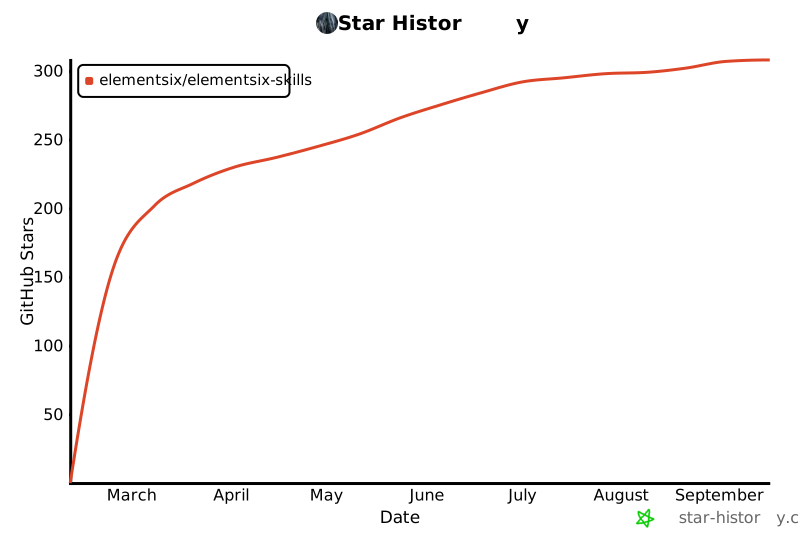
## ⭐ Star History